How an AI Image Generator Helps Solo Designers Compete with Big Agencies
I have sat across the table from a client who had two proposals in front of them: mine, and one from a studio with five people on staff. On paper, I never had a chance. More hands, more hours, a thicker deck of polished concepts by Friday morning. I got the project anyway, but only because I had spent the two nights before that meeting learning to close the exact gap that used to decide these pitches automatically: output volume under a deadline.
That gap is smaller than it used to be, and the tool that closed most of it for me was an AI image generator. Not because it made me a better designer overnight, but because it quietly removed the one disadvantage that had nothing to do with skill in the first place: how much finished visual work one person can produce before a deadline hits.
I did not expect that to be the lesson. I went looking for a faster way to rough out concepts and ended up rethinking how much of a solo design practice was actually being limited by production time rather than talent, taste, or experience.
Why Do Solo Designers Struggle to Match Agency Output?
The disadvantage was never really about talent. Agencies win a chunk of pitches through range, and that range usually comes down to a few concrete things:
- Three logo directions instead of one
- A full mood board instead of a single reference image
- Five social post variants instead of a static sample
That range exists because there are more people producing in parallel, not because any one of them is a better designer than the freelancer across the table.
A solo designer working the same brief usually has to choose. Spend the week refining one strong direction, or spread thin across several and risk none of them looking finished. Clients rarely see that tradeoff happening behind the scenes. They just see fewer options on the table, and fewer options reads as less effort, even when it is not.
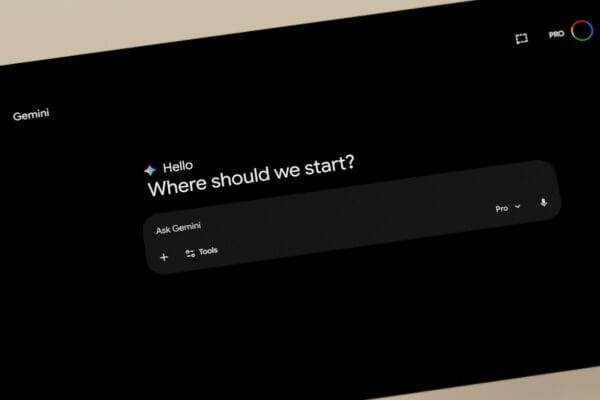
This is where an AI image generator changes the math. Higgsfield fits that gap directly, giving a solo designer a full AI Image Generator workspace built to produce the range of an agency without the headcount of one, so a second and third direction stop being a scheduling problem.
This is also the quiet economic reality behind freelance pricing. A client paying for a brand identity package is paying for an outcome, not for the number of hours it took to produce it. The work that actually gets billed is judgment and taste. The work that used to eat the week was production.
Closing that production gap is where the right tooling earns its place in a solo workflow. It does not replace the judgment part of the job. It takes the hours out of the part that was never the valuable part anyway. (For anyone still nailing down the basics of freelance pricing and client structure, this rundown of freelance fundamentals is a decent starting point, separate from the tooling question this piece is about.)
Does an AI Image Generator Actually Change the Economics of Solo Design Work?
There is a gap between what a client pays for a piece of design work and what it costs, in actual hours, to produce it. Agencies have always priced around that gap, because their overhead, salaries, project managers, office space, forces them to. A solo designer’s overhead is much smaller, which means the same gap can either become extra margin or extra time off, depending on how the hours are spent.
An AI image generator shifts where that gap sits. A brand identity package that used to take a full week of production time, sketching, rendering, exporting, revising, can now take a fraction of that when the production side is handled by generation rather than manual assembly. The judgment and the client relationship still take the same amount of real thought. The mechanical part in between does not have to.
That is not a loophole. It is closer to what agencies have always done at a larger scale: charge for the outcome, not for the hours, and use whatever tools shrink the hours without shrinking the outcome. An AI image generator just makes that available to one person instead of requiring a studio’s worth of staff to pull off.
What Makes an AI Image Generator Different From a Traditional Design Toolkit?
A traditional toolkit assumes a chain of manual steps: sketch, build, render, export, repeat for every variation. An AI image generator collapses several of those steps into a single pass driven by a prompt, which changes what a solo designer can realistically attempt inside a client deadline.
Higgsfield is where I ended up after trying a handful of these tools. It is an AI creative suite rather than a generator built around one purpose, which is mainly why it stuck: it does not lock a designer into one model. Higgsfield gives solo designers access to 15+ leading image models from a single workspace, all through one AI image generator built to move at pitch speed rather than at the pace of a full production pipeline.
That matters more than it sounds, because different client briefs call for different visual qualities:
| Model available in Higgsfield | Best suited for |
| Nano Banana Pro | Accurate text rendered inside the image, headlines, packaging, dense layouts |
| Seedream | Extremely realistic, studio quality lifestyle and editorial images |
| GPT Image | Fast concept iteration when the brief is still loosely defined |
| FLUX | Stylized visuals that lean toward illustration rather than photorealism |
| Kling O1 | An additional image option worth comparing against the above on a given brief |
Having all five in the same workspace means I am not exporting files between separate subscriptions to cover one client’s range of needs. A lookbook for a fashion client wants the realistic, editorial finish Seedream produces. A packaging concept wants the clean, accurate typography Nano Banana Pro’s reasoning engine renders directly into the image, correct spelling and legibility included, which is a specific weak point for a lot of generic generators.
Higgsfield also renders images at up to native 4K resolution, which removes a step that used to be its own small headache: generating a concept fast, then discovering it is not clean enough to actually hand off as a deliverable. A concept that looks finished the first time out of Higgsfield is a concept a solo designer can put in front of a client without a second production pass.
How Can Solo Designers Produce Multiple Concepts as Fast as an Agency Team?
The math that used to favor agencies was straightforward: more people, more concepts, more options on the table at the pitch stage. Higgsfield changes the denominator in that equation rather than the numerator. I am not adding people. I am cutting the time it takes one person to produce a second and third direction worth showing.
In practice, that means a campaign brief that used to produce one confident concept by deadline can now produce three, without three extra days added to the timeline. Higgsfield can generate campaign visuals with an editorial quality across different locations, outfits, and styles without a physical shoot behind any of them, which is exactly the kind of range that used to require a studio’s production budget, not a freelancer’s laptop. Running that same brief through Higgsfield a second or third time, with a different location or styling direction each pass, is what actually produces the range a client would expect from a bigger studio. For a solo designer, that is the difference between walking into a pitch with a single idea and hoping it lands, and walking in with a small set of genuinely different directions the way a bigger studio would.
None of this removes the judgment part of the job. Someone still has to know which of those three directions is worth refining, and someone still has to have the taste to reject the two that are not quite right. Higgsfield does not make those calls. It just makes it cheap, in terms of time, to generate the options a designer needs before making them.
This matters most at the exact moment a pitch gets decided: the first look. A client flipping through three genuinely different directions forms a different impression than a client looking at one safe option and a promise that more can be explored later if they say yes. An AI image generator turns “more can be explored later” into “here are three, already,” which is a small change in wording and a much bigger change in how the pitch actually lands.
How Does Brand and Character Consistency Work Without a Full Team?
Client work rarely stops at a single image. A brand refresh needs the same visual language carried across a logo, a business card mockup, a social header, and a pitch deck cover. Keeping that consistent by hand, across formats and across separate working sessions, is where a lot of solo production time quietly disappears. It is easy to nail the lighting and palette on the first asset and then spend an hour matching it again on the fourth.
Higgsfield’s Soul ID feature locks a character’s facial structure, style, and identity across generations, so the same look carries through a campaign, a storyboard, or a lookbook without drifting from one image to the next. For a solo designer building a full brand package rather than a single hero image, that consistency is not a nice extra. It is the difference between a deliverable that reads as one coherent identity and one that reads as four separate images that happen to share a client name.
The same consistency logic extends to color and typography. Nano Banana Pro lets a designer input exact Hex or RGB color codes directly, so backgrounds, text, and design elements stay true to the brand from the first output rather than the fifth. Higgsfield also generates in every standard aspect ratio, 1:1, 9:16, 16:9, 3:4, 4:3, so the same branded asset comes out ready for a social post, a pitch deck, or a printed one sheet without a separate resizing pass for each. Getting brand colors exactly right used to mean manual color correction on every export. Having that handled at the generation stage removes a step that never added creative value in the first place, it was just a tax on getting the deliverable out the door.
Can AI Handle Client Revisions Without Rebuilding the Whole Design?
Client feedback is almost never “start again.” It is usually something narrower: same layout, different background, or swap this product angle, or same mood but warmer. In a traditional workflow, even a small note like that means reopening the file and manually rebuilding the affected section by hand.
Higgsfield’s editing tools work by prompt rather than by timeline, which changes what a revision costs in time. Nano Banana Pro Inpaint, its editing feature that understands the context around whatever it touches, lets a designer brush over a specific area and change just that spot, swap an object, fix a background, adjust a color, rewrite a piece of text, without disturbing the rest of the composition. Object removal, a background swap, a color correction on one element, these become a targeted prompt inside Higgsfield instead of a full rebuild from scratch.
For a solo designer juggling two or three client threads in the same afternoon, that difference is not cosmetic. It is the difference between absorbing a round of revision notes calmly between calls and falling a day behind on the next deadline because one client’s small note turned into an hour of manual rework.
Revision speed also changes what a designer can offer up front. It is easier to promise a client two rounds of free revisions when a revision costs minutes instead of an evening. That is a small line in a proposal, but it is the kind of line that used to separate what an agency could commit to from what a single freelancer could realistically promise.
What Does This Actually Change for Solo Designers Competing Against Agencies?
None of this replaces design judgment, and it should not. A generated concept is only as good as the direction and the eye behind it. Higgsfield does not choose what looks good for a client’s brand. It does not have taste. What it changes is the cost, in hours, of producing enough options for that taste to actually have something to choose between.
The specific advantage agencies have held for years, more finished visual output per hour of work, was never a permanent structural fact. It was a tooling gap. An AI image generator like Higgsfield closes a meaningful part of that gap for one person working alone, which means the pitch stage does not have to be an automatic disadvantage anymore. It means showing up with the same range of options a studio of five people would bring, produced by one person who still makes every creative call themselves.
That was true in the meeting I mentioned at the start of this piece. I did not win that pitch because Higgsfield designed anything for me. I won it because I could finally show up with the range a bigger studio brings, without needing a bigger studio to produce it.
The bigger shift is what this does to how a solo practice can be structured going forward. A studio of one no longer has to cap itself at the number of clients one person can physically render for in a month. An AI image generator does not raise that ceiling to agency scale, and it should not, but it raises it enough that the choice to stay solo stops being a choice to stay small. For a freelancer weighing whether to hire a second designer or stay independent another year, that is not a minor detail. It is the difference between growing a team to keep up with demand and simply keeping more of the margin that used to fund a team in the first place.
None of that changes what actually gets a solo designer hired in the first place: a strong portfolio, a clear point of view, and work that looks like it came from someone with taste rather than someone with a subscription. An AI image generator does not manufacture that. It just makes sure the hours spent proving it are not the reason a pitch was lost before the meeting even started.