Transform web design with AI-generated video for better engagement

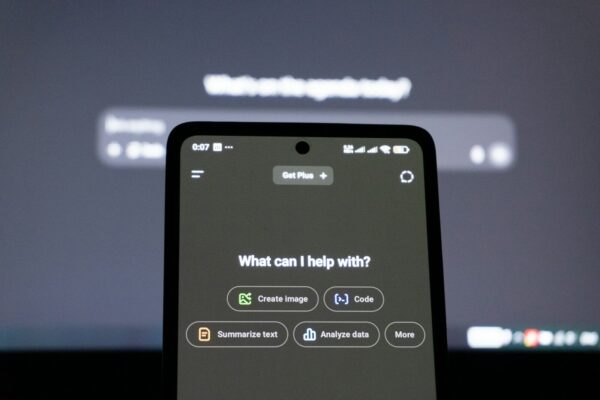
Static images once defined the visual rhythm of websites, but today’s digital spaces demand movement – a living, breathing aesthetic that captures attention in seconds. Users no longer just browse; they react, swipe, and scroll past content that doesn’t immediately engage. Artificial intelligence has quietly revolutionized how motion is integrated into web design, making high-quality video no longer a luxury reserved for brands with big budgets. Instead, AI-generated video is becoming a standard tool in the designer’s kit, reshaping everything from hero sections to product storytelling – and doing so at a pace traditional production could never match.
Elevating User Experience with AI-Generated Motion Graphics
One of the most transformative uses of AI in web design is the creation of synthetic hero backgrounds – dynamic, high-resolution video loops that adapt seamlessly to a site’s color scheme and brand tone. Tools like Runway or Sora can generate abstract visuals, atmospheric scenes, or stylized environments from simple text prompts, eliminating the need for location scouting, actors, or camera crews. These assets are not just faster to produce; they’re inherently unique, avoiding the “stock footage” look that can dilute brand identity.
But motion for motion’s sake doesn’t convert. The real value lies in strategic, user-centric motion design. When AI-generated B-roll or ambient loops align with a brand’s visual language – from typography to tone – they enhance coherence rather than distract. This level of consistency was once difficult to maintain across campaigns, especially for fast-moving e-commerce brands.
The Rise of Synthetic Hero Backgrounds
Imagine a skincare brand using AI to generate a slow-motion loop of dew forming on a leaf, perfectly color-matched to its packaging. Or a fintech platform animating abstract data flows that mirror its minimalist UI. These aren’t speculative concepts – they’re live on websites today. The key is restraint: the video should support the message, not overshadow it. Designers are now curating AI outputs with the same care as handcrafted assets, ensuring each frame reinforces trust and clarity.
Scalable Ad Creatives for DTC Success
For direct-to-consumer (DTC) brands, speed and volume are critical. Consumer attention spans are short, and ad fatigue sets in quickly. To stay ahead, brands must constantly refresh their creatives – testing new hooks, visuals, and calls to action. This is where creative automation becomes a game-changer. Many modern direct-to-consumer brands now streamline their creative workflow through specialized services like EditClub, which focuses on delivering performance-driven video assets.
These services combine AI generation with human oversight, allowing teams to produce hundreds of video variations per month without physical shoots. The process is lean: input a product image, define a tone, and generate dozens of UGC-style ads, product demos, or B-roll clips in hours, not weeks. With average delivery times under two days and unlimited revisions, brands can rapidly A/B test creatives and optimize for metrics like click-through rate or ROAS – all while maintaining a cohesive visual identity across platforms.
Strategic Implementation: Performance and Technical Comparison
While AI makes video creation faster, integrating it into a website without compromising performance requires careful technical planning. A stunning AI-generated loop can backfire if it slows down page load times, especially on mobile. The choice of video format plays a crucial role in balancing visual fidelity and efficiency. Not all formats are created equal – each comes with trade-offs in compatibility, file size, and feature support.
Balancing Visual Impact and Page Load Speed
Designers must consider not just how a video looks, but how it behaves. Aggressive compression, lazy loading, and selective autoplay settings are essential. Hosting videos on a content delivery network (CDN) can further reduce latency. Even small details – like ensuring videos mute by default or offering fallbacks for slow connections – contribute to a smoother user experience. The goal is to deliver motion that feels effortless, not burdensome.
|
🎥 Format |
🌐 Browser Compatibility |
📦 File Size Efficiency |
🪟 Alpha Channel (Transparency) |
| MP4 (H.264) | Universal | Moderate | No |
| WebM (VP9) | Most modern browsers | High | Yes |
| GIF | Universal | Poor | Limited |
As shown, WebM stands out for modern web projects. It offers superior compression and supports transparency, making it ideal for overlay animations or floating product reveals. While MP4 remains the safest choice for broad compatibility, WebM is increasingly the format of choice for performance-focused designers. GIFs, despite their nostalgic appeal, should be avoided for anything beyond simple, short animations due to their large file sizes and limited color depth.
Best Practices for Integrating AI Video into Landing Pages
Integrating AI-generated video isn’t just about dropping a clip into a hero section. It requires thoughtful execution to maximize engagement without alienating users. The following checklist helps designers implement video in a way that’s both impactful and accessible:
- ✅ Use autoplay wisely: Videos should play automatically but always be muted by default to respect user context – especially on mobile.
- ✅ Optimize for accessibility: Include aria-labels and provide text alternatives for screen readers. Consider adding captions even for non-narrative loops.
- ✅ Leverage AI for product demos: Turn static product photos into rotating 3D-style reveals or contextual usage scenarios using AI interpolation.
- ✅ Match frame rates and motion style: Ensure all video elements on a page share a consistent aesthetic – jittery, fast cuts next to smooth loops create visual dissonance.
- ✅ Craft scroll-stopping hooks: The first two seconds must capture attention. Use AI to generate variations and test which hooks perform best.
These practices ensure that video enhances, rather than hinders, the user journey. The most effective landing pages use motion as a guide – drawing the eye to CTAs, clarifying product benefits, or building emotional resonance.
Comprehensive FAQ
Does using AI-generated video significantly slow down my site’s mobile performance?
Not if implemented correctly. Choosing efficient formats like WebM, compressing files aggressively, and enabling lazy loading can minimize impact. Hosting videos on a CDN also helps deliver content faster. The key is optimizing delivery, not avoiding video altogether – modern users expect motion, but they won’t wait for slow loads.
How does AI video production compare to traditional agency filming in terms of output volume?
AI drastically increases output speed and volume. While traditional shoots may produce a few polished videos per month, AI-powered workflows can generate dozens or even hundreds of variations in the same timeframe. This allows for rapid testing and iteration, especially valuable for performance marketing where creative fatigue is a constant challenge.
Are there hidden server costs when hosting high-resolution AI video files?
Potentially, yes. High-resolution videos consume bandwidth, and self-hosting large files can lead to unexpected hosting fees. Using third-party video players like Vimeo or YouTube – or a specialized service that handles delivery – often reduces server load and provides better global performance without hidden infrastructure costs.
Can AI-generated videos maintain brand consistency across multiple platforms?
Yes, but it requires oversight. AI tools can produce varied outputs, so brands need clear creative briefs and human review to ensure alignment with tone, color, and messaging. When paired with structured workflows, AI becomes a tool for scaling consistency, not diluting it.