Introduction
If you want to kill time, then nothing beats watching videos. Be it the latest movies, Tv shows, or a random video of a cute puppy your friend shared in their social media feed, a video converter can help download video from any website. Today we have rounded up some of the best video downloaders that support downloading in different formats for offline viewing.
Best Tool To Download Videos From Different Websites
Content posted in streaming services is changed now and then due to frequent licensing agreements. Websites for free movies and Tv shows also get canceled due to piracy problems. In such a backdrop, it pays to invest in reliable software like the StreamFab Video Downloader, which can help save your favorite videos so that you can watch them whenever you fancy. Learn more about its features and the steps to download a streaming video.
Features
- Different video and audio quality options.
- MP4 or MKV video download options.
- Removes ads during the process.
- It can be programmed to download titles as per preset schedules.
- Supports batch downloading with fast download speed.
Steps to download videos with StreamFab Video Downloader
Step 1: Install StreamFab Video Downloader
Download and install StreamFab Video Downloader
Step 2: Select the streaming site & content
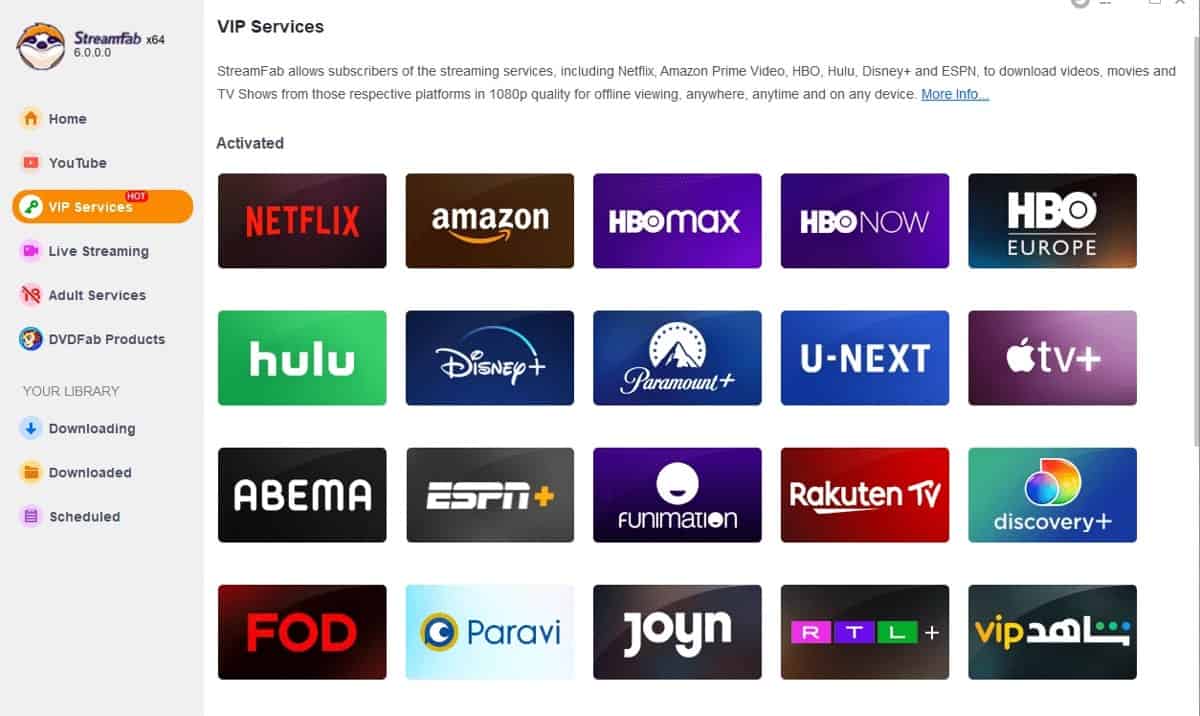
From the Explorer section, choose the streaming site. You can also copy and paste the video link on the homepage to be redirected to the website.
Step 3: Make customizations
You can choose different audio/video output options from a popup window.

Step 4: Start the download
Click on Download to initiate the process.
Top 10 Video Downloader Alternatives To Try Out In 2023
When was the last time you found an excellent cooking recipe or make-up tutorial on different social media channels, only to struggle with finding the same thing again? If this happens frequently with you, then a video downloader can be your best bet. Scroll below to read about the best video downloaders (both online and software):
1) Savethevideo.net

The online video downloader supports websites like Instagram, Facebook, Tiktok, and Twitter. This tool can download videos from the internet with Firefox and Google Chrome extensions to simplify the downloading process. The downloaded videos can be saved in 3GP, MP4, and M4A formats.
| Pros | Cons |
| Can batch download videos with a single click | Might expose users to malware threats |
| You don’t need a video URL to download the video | |
| Can download audio from Bandcamp, Soundcloud, TED, and Reddit |
2) Savefrom.net

This efficient web video downloader can help if you don’t want to download bulky software. You can easily download Tv shows, movies, sports games, and more from websites like Dailymotion, Reddit, TikTok, and more. You must paste the video link on the input field and press the Download button to start the process.
| Pros | Cons |
| Compatible with Safari, Google Chrome, Opera, Mozilla Firefox, etc | The choice of websites to download from is limited |
| Supports HD, 2K, and 4K video quality | |
| Norton Safe Web scans the website |
3) Keepvid Video Downloader

This online video download platform offers multiple options to deliver an excellent user experience. You must paste the video link and click the Go button to download your favorite files. Download n number of files and enjoy them for free.
| Pros | Cons |
| Compatible with smartphones, PC devices, and tablets | Doesn’t offer technical support |
| Can backup Facebook videos | |
| Users can download audio files in MP3 format for offline listening |
4) Acethinker
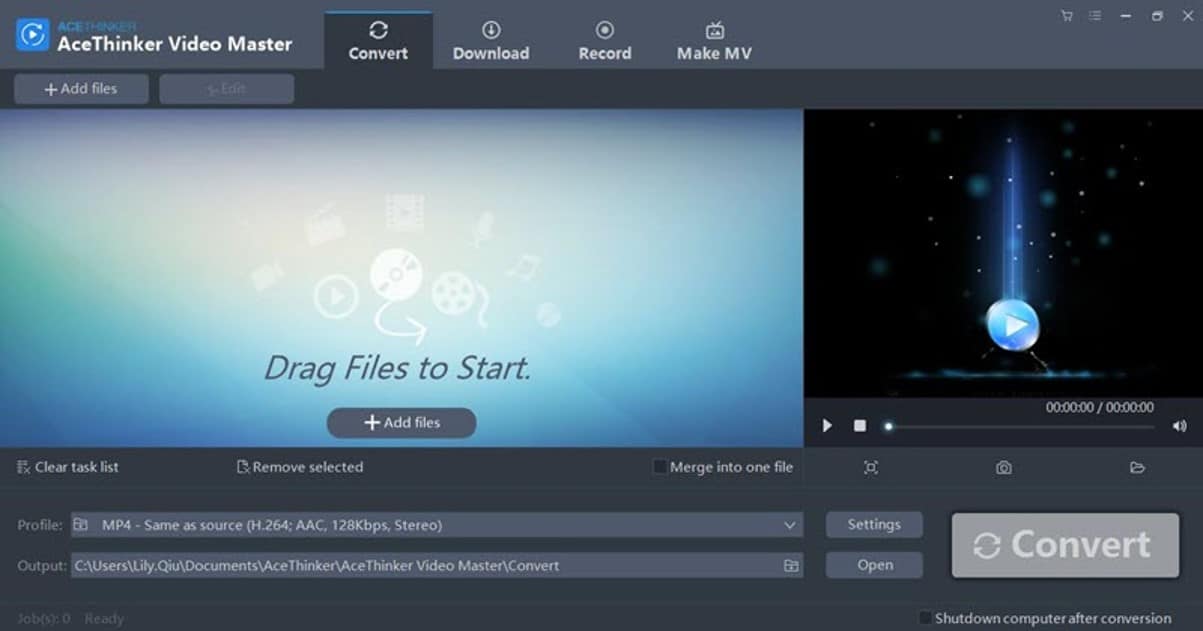
With this online video downloader, it becomes easy to download videos from popular sites like Vevo, YouTube, Dailymotion, TikTok, Twitter, and more. You can download files without any upper limit. However, an intuitive interface makes navigating the website an easy affair.
| Pros | Cons |
| The web-based app doesn’t require any software installation | Doesn’t support downloading playlists or subtitles |
| Users don’t need to sign-up to use this online tool | |
| Supports multiple formats like Microsoft Edge, Google Chrome, etc |
5) JDownloader
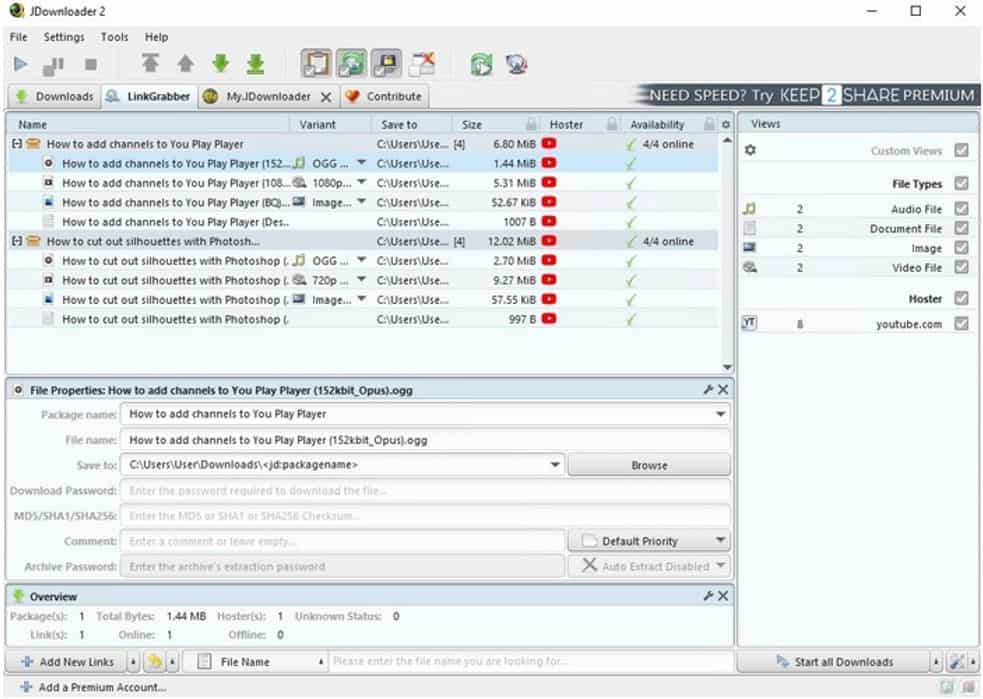
This free download management tool can make your downloading both fast and easy. You can set bandwidth limitations, pause or stop downloads, auto-extract archives and do more with the JDownloader tool. Once you paste the URL of any page on the app, it will conduct a background scan of all the videos so that you can choose which one to download.
| Pros | Cons |
| Supports batch downloading of files | Accompanied with bundleware pushing unwanted programs |
| A multilingual website is perfect for a wide variety of users | |
| Users can set a time for automatic download in the backend |
6) 4K Video Downloader
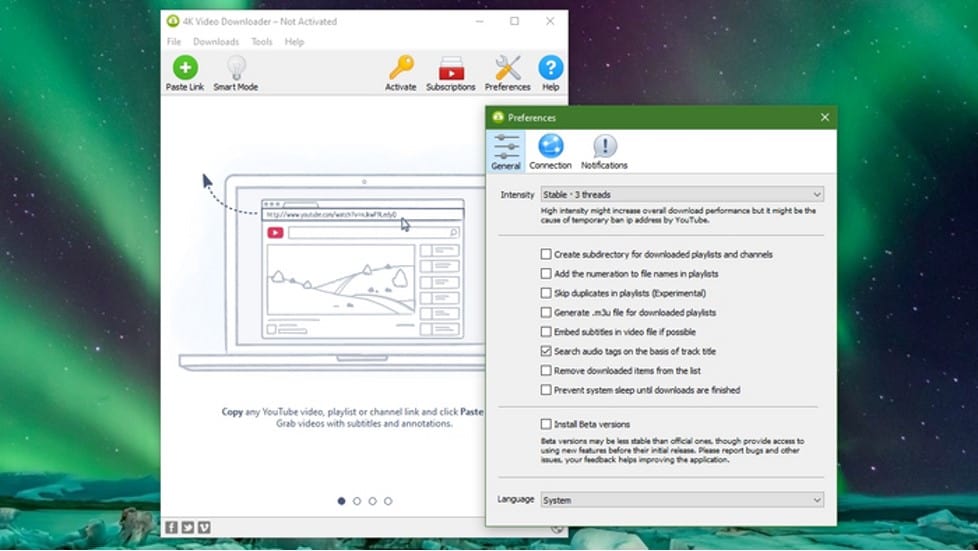
This advanced tool can help download videos easily from the internet. It differs from other web-based downloaders as it isn’t an online tool. With the free version, you can download up to 30 videos daily. The main attribute of this tool is that it supports downloading 360-degree and 3D videos.
| Pros | Cons |
| Supports multi-platform download | You will have to install the software before using it |
| Compatible with different languages to offer an immersive experience | |
| You can download the YouTube playlist along with subtitles |
7) Video Downloader Helper

This browser extension helps download videos online by automatically detecting any videos in the browser. Users don’t have to copy and paste the URL. Rather, you will be presented with a list of available videos. You can get this extension for Firefox, Microsoft Edge, and Google Chrome.
| Pros | Cons |
| Videos can be downloaded in 720p to 8K resolution | It can make your browser slower if you already run multiple extensions |
| Works with popular sites like Twitch, Facebook, DailyMotion, etc | |
| Can also make file aggregation and conversions |
8) Freemake Video Downloader
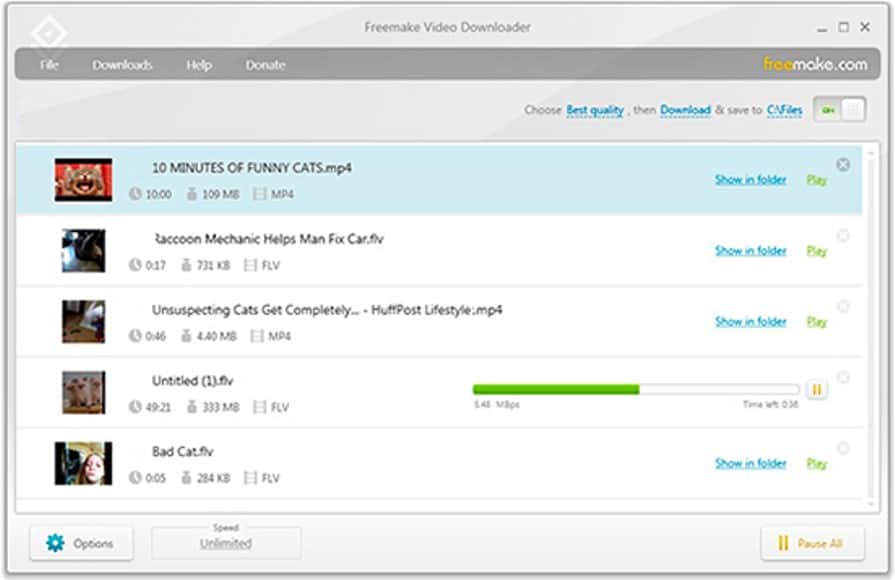
Freemake is one of the best video downloaders for both Mac and PC as it allows downloading videos from 10000 plus sites for free. Video files can be downloaded in WebM, MP4, Flash FLV, and 3GP formats, whereas audio files can be downloaded in MP3 formats. It is highly flexible and easy to use, which has led to its popularity among the masses.
| Pros | Cons |
| Features a built-in converter to save the file in AVI, MP4, or MP3 format | Can only download upto 720p if you don’t subscribe |
| Has many configuration options that can be adjusted without technical knowledge | |
| Can download private and age-restricted video |
9) ClipGrab

If you like watching your favorite videos without opening another program, ClipGrab can come to your rescue. This free video downloader can help you search for and watch videos without toggling between browsers. It is compatible with big video-hosting platforms like Vimeo, YouTube, and Dailymotion. In addition, you can download videos in a variety of formats like OGG, WMV, and MPEG4.
| Pros | Cons |
| Features a built-in search engine | Not all files deliver the same quality |
| Allows downloading videos while watching them | |
| Can convert the downloaded videos to multiple formats |
10) Any Video Downloader

You can download videos in various formats ranging up to 8K with the Any Video Downloader. It can save videos from Vimeo, YouTube, Dailymotion, Facebook, and more. With a multi-threaded acceleration engine, this Windows app can accelerate your downloads by up to 500%.
| Pros | Cons |
| Can both download and convert videos | Doesn’t support multiple downloads |
| Can optimize the downloaded videos for being played on different devices | |
| Supports drag-and-drop functionality |
Limitations of the different video downloaders
None of the free and paid video downloaders mentioned above are holistic with their operations. While some are infamous for installing malicious programs alongside video downloads, others don’t deliver an exhaustive range of video downloading formats. Batch downloading at superior speed is very rare with the tools listed above. Unfortunately, they aren’t also compatible with different websites from where you wish to download content.
In such a backdrop, we have collated the best solution to your video downloading woes: StreamFab Downloader. Please scroll below to learn more about this tool.
Takeaway
Popular streaming platforms like Vimeo, Youtube, and others have a policy that no content shall be copied, distributed, or sold without the original uploader’s consent. Violating this standard can make you fall prey to legal penalties. But downloading a video for personal use won’t lead to any problems. While all the video converters listed above have a fair share of high points, StreamFab Downloader stands out from its peers with its robust downloading functionality from 1000-plus streaming sites.