How Layered Visual Elements Enhance Online Collage Design Workflows

Digital creators often look for ways to make their projects stand out in a crowded space. Stacking multiple layers is a great way to add complexity and style to a basic image. This approach allows you to place different items on top of each other to build a complete scene. It changes a simple photo into a rich piece of art that catches the eye of anyone scrolling by.
Using different visual parts helps to guide the viewer through a specific story or message. You can control which items are in the front and which stay in the back. This level of control makes the entire design process more fluid and rewarding for the artist. It turns a quick project into a deep creative exercise that yields professional results every single time.
Building Professional Layers
Stacking various images and text blocks creates a sense of space that flat graphics cannot match. It allows the creator to hide certain parts or highlight others to create a specific focal point. This method works well for social media posts, digital posters, and personal scrapbooks.
Many creators start their journey by looking for a reliable tool. Using options like a free collage app helps people learn the basics of stacking elements without a high cost. This allows anyone to practice their layout skills before moving to more complex software. You can experiment with different backgrounds and foregrounds until the balance feels just right.
Modern design thrives on this ability to manipulate individual pieces of a larger puzzle. You are not stuck with a single image that cannot be changed easily. Instead, you have the freedom to move, resize, and rotate every single element until it fits your vision perfectly.
Automated Curation Systems
Finding the right pieces to fit together can take a long time if you do it all by hand. New technology is helping to speed up this part of the workflow for busy creators. It helps by looking at the theme of your project and suggesting items that look good together.
A technical paper suggested that new systems can take a collection of photos and a brief story to curate a layered set of ready-to-use elements. This means you do not have to spend hours searching for the perfect matching graphics. The system handles the heavy lifting so you can focus on the creative side of the job.
These tools are becoming more common in everyday software used by hobbyists and pros alike. They provide a solid starting point for any project, which is often the hardest part of the process.
Embracing Imperfect Narratives
Sometimes, a design that looks too clean can feel boring or robotic to the audience. Adding a bit of character through small mistakes can actually make the work look better. This adds a human touch that people tend to appreciate more than perfect lines.
One major design blog noted that visible imperfections in overlapping layers offer depth and can foster a storytelling approach. These small overlaps or rough edges suggest that a person put the piece together with care. It moves the work away from looking like a cold, computer-generated graphic.
Creating a narrative is easier when the layers feel like they are interacting with each other. You can place one image slightly over another to show a connection between two different ideas.
Modern Texture Trends
Texture is another way to make a digital design feel like it has a real physical presence. It tricks the eye into thinking the screen has a surface you could almost reach out and touch. This trend is growing as more people look for ways to make digital art feel authentic.
Industry experts mentioned that a major focus for recent abstract design has been the use of texture and depth. This shift moves away from the flat styles that were popular in the past. Adding things like paper grain or fabric patterns to your layers can change the entire mood of the piece.
- Use a textured background like crinkled paper or aged wood.
- Add shadows behind individual layers to make them pop off the page.
- Mix different types of media like photos and hand-drawn sketches.
A design school article observed that mixing photography and illustrations with different textures helps to create a deeper narrative.
Mastering Creative Controls
Having a lot of layers is only useful if you can control them effectively. You need to be able to change things on the fly without ruining the rest of the design. Modern tools are adding more features that give users this specific power.
Recent news updates explained that new features are bringing better creative control to AI content through specific layer management. This allows you to tell the computer exactly what you want to change without losing the work you have already done. It makes the partnership between the artist and the AI much more productive.
These controls often include things like opacity settings and blending modes. You can make a layer look like a ghost or make it blend into the background like paint.
Refining Individual Assets
Before you stack your images, you need to make certain each one looks its best. A single bad photo can bring down the quality of the entire project. Spending a few minutes on basic edits pays off in the final result.
An editing feature guide described how tools for exposure and portrait improvement work together with collage makers. This helps you fix lighting issues or skin tones before the image is placed into a layer. Consistency across all your assets makes the final product look much more unified and clean.
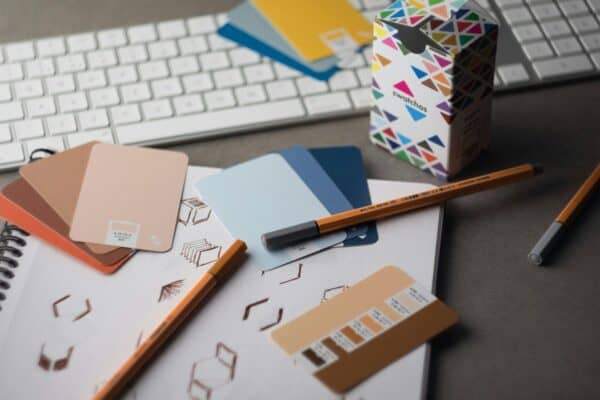
A trend report highlighted that many artists are going back to basic crafts like scanning physical items to get unique assets. This tactile approach provides textures and shapes that AI cannot recreate easily. To get started, try these ideas:
- Scan dried flowers or leaves for a natural look.
- Use old stamps or postcards for a vintage feel.
- Scan fabric scraps to add a soft texture to the design.
Layered designs provide a rich experience that flat images simply cannot match. By using these techniques, you can build more engaging and professional content for any purpose. The ability to move and change individual pieces gives you the ultimate creative freedom.
The future of digital art looks bright with these new tools and trends coming into play. Exploring different layers and textures will help you create standout work that grabs attention. Start playing with these elements today to see how they can change your creative process for the better.