Why Simplicity Wins: A Review of Leawo Free Screen Recorder for First-Time Users
Introduction: The Need for User-Friendly Screen Recording Tools
Today, the demand for screen recording is surging in various fields and scenarios. For instance, you create an online tutorial, capture your epic gaming moment, or record business online meetings. However, most screen recorders are complicated for first-time users to navigate. But worry not. This post will introduce Leawo Free Screen Recorder, a program designed with simplicity in mind. Just read on to learn more about its excellent features.
First Impressions: Installation and Interface
Compatible with Windows 7/8/8.1/10/11, Leawo Free Screen Recorder is the simplest way to make screen recordings on your PC. You can download and install the software via the download link on the official website. No extra effort is needed. The installation process will be automatically done in a few minutes.
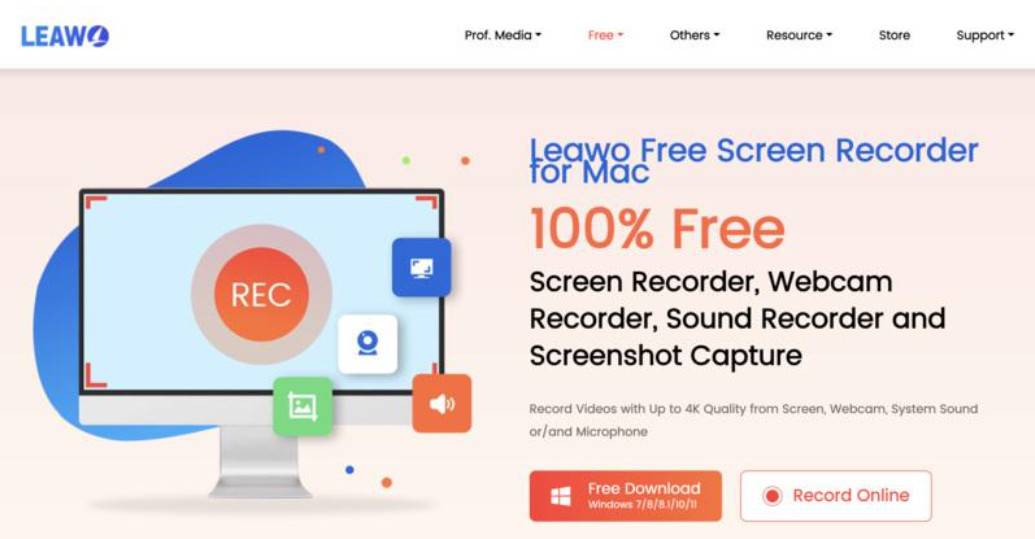
Once you have Leawo Free Screen Recorder installed on your Windows, you are ready to capture your screen and record anything you want! With a sleek and simple design, Leawo Free Screen Recorder is easy to use for average users and novices.
There is no clarity and minimal visual clutter on the main interface. You can find essential recording modes that are intuitive and straightforward for users to accomplish their tasks. Each function is easy to access without cognitive barriers that might hinder the user’s experience.
Core Features Simplified
Leawo Free Screen Recorder provides simplified accessibility without compromising service quality. Here are the core features that make it a practical choice for first-time users.
- Screen Recording Options: Leawo Free Screen Recorder offers versatile screen recording options. You can record a full screen or customize the recording area as you see fit. Whether you want to capture a specific window or an online meeting in full screen, the screen recorder is the best tool that comes in handy.
-
- Audio Recording: Supporting audio capture from system sound and microphone input or a combination, Leawo Free Screen Recorder can help you record your screen with high audio quality. You can also add voiceovers as narration or background music to make the recordings more engaging.
- Webcam Integration: The screen recorder offers options to include webcam overlay in recordings. You can not only record your screen but also yourself from your webcam, simultaneously or separately.
- Real-Time Drawing: Leawo Free Screen Recorder comes with an excellent real-time drawing feature to enhance your video. You can draw, highlight, or add text directly on your screen while recording, making annotations with minimal effort.
- Scheduled Recording: Supporting automatic screen capture, Leawo Screen Recorder lets you schedule recordings easily. The feature is integrated into your OS, allowing you to automate the recording process with settings on start date, time, length, area, audio source, etc., for more convenience.
- Output Quality: Leawo Free Screen Recorder allows you to record the screen with up to 4K resolution. You can make a high-quality screen recording in a variety of formats that are compatible with common devices.
User Experience: A Step-by-Step Guide
Leawo Free Screen Recorder is powerful on all levels, which allows users to enjoy excellent recording features with a simplified experience. Here’s how to record your screen in simple steps.
Step 1: Launch Leawo Free Screen Recorder
Free download Leawo Screen Recorder and install it on your computer.
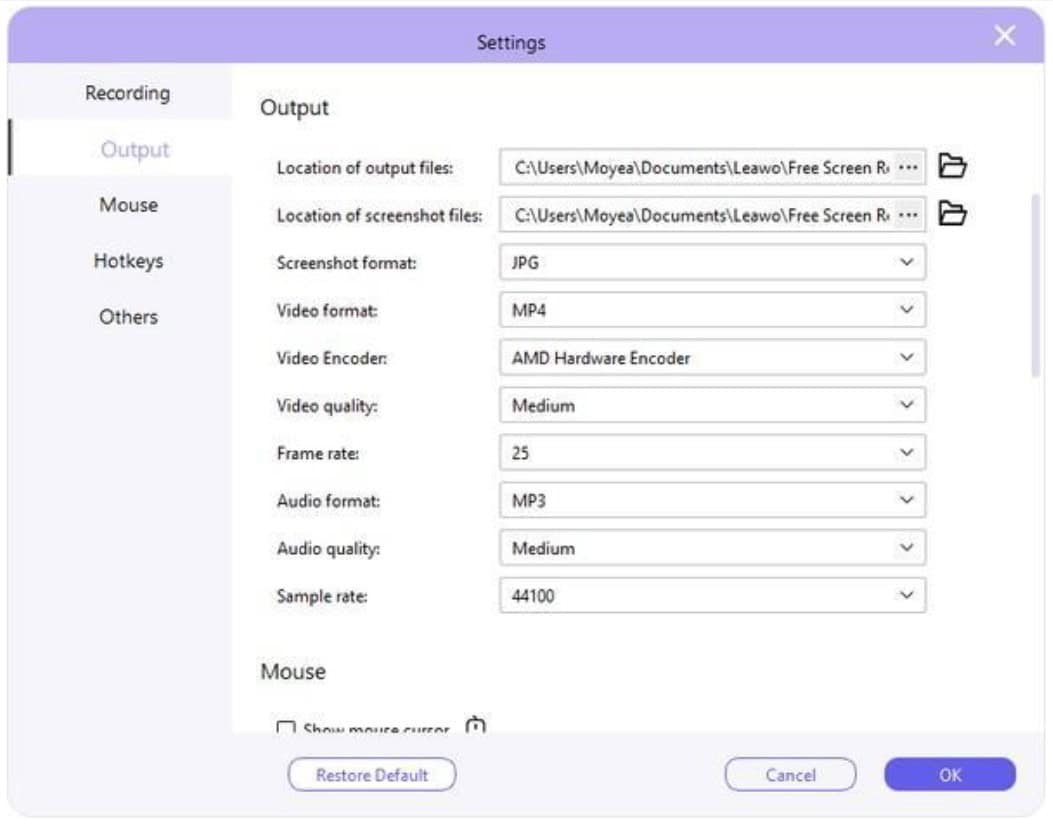
Step 2: Set Output Preferences
Click the icon with three bars in the upper right corner. Navigate to Settings > Output to set your preferences for output directory, frame rate, sample rate, video format, etc.
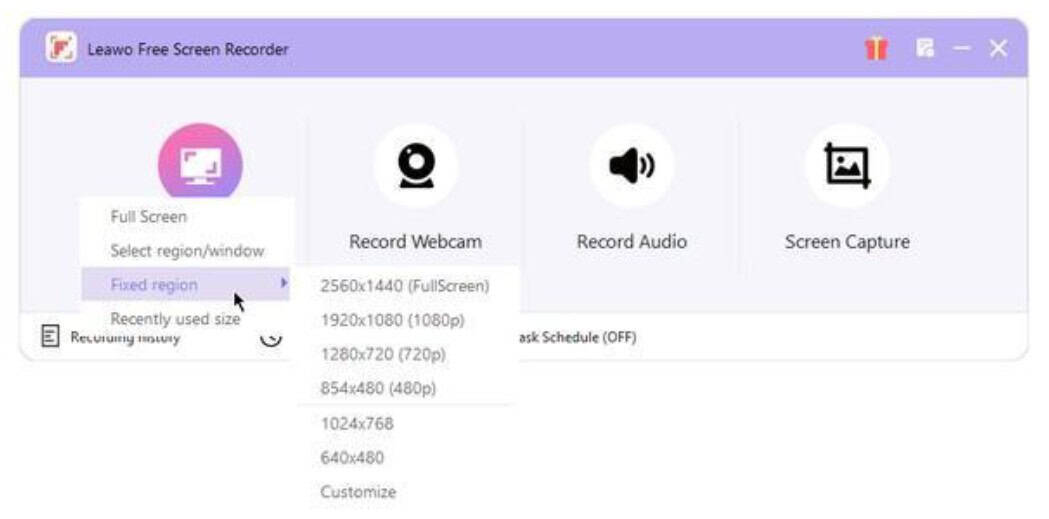
Step 3: Determine Recording Area
Click on the Record Screen button on the main screen. Decide your recording area based on options such as full screen, a selected region, a custom region, or recently used aspect ratios.
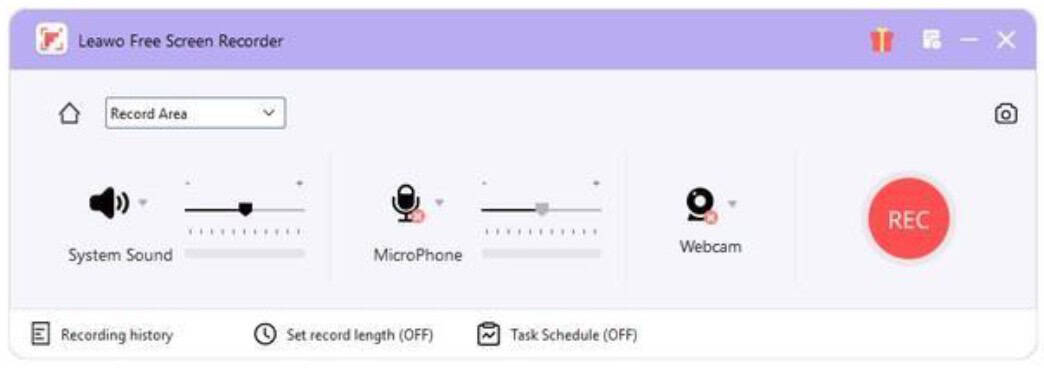
Step 4: Configure Audio Source
Adjust the audio source for your screen recording. You can record from system audio or microphone input.
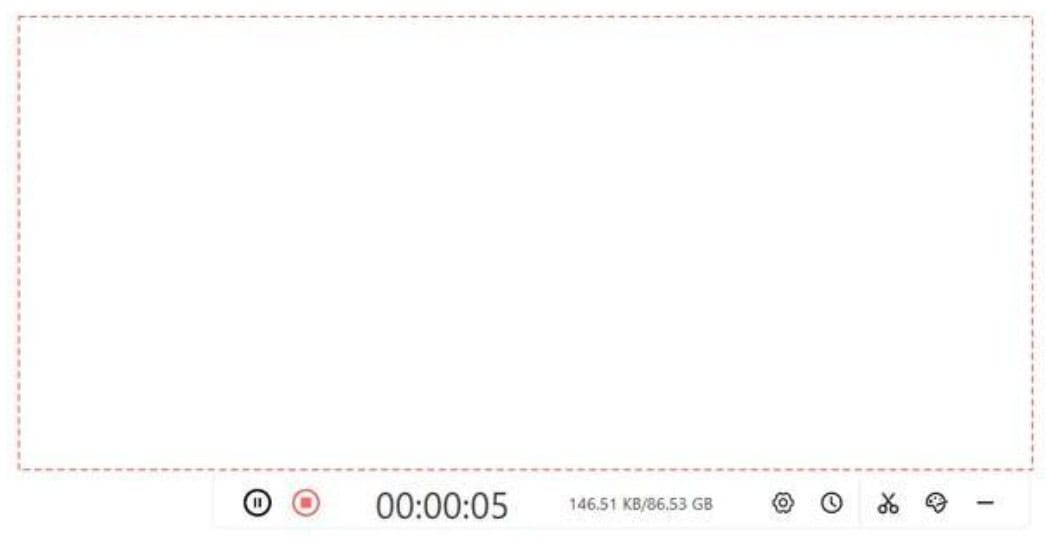
Step 5: Start Recording
Click on the REC button to make a screen recording with ease. You can pause or stop recording anytime you like.
Step 6: Edit & Recording
Click the Paint icon if you want to make annotations during recording. You can also explore more features with the Paint toolbar.
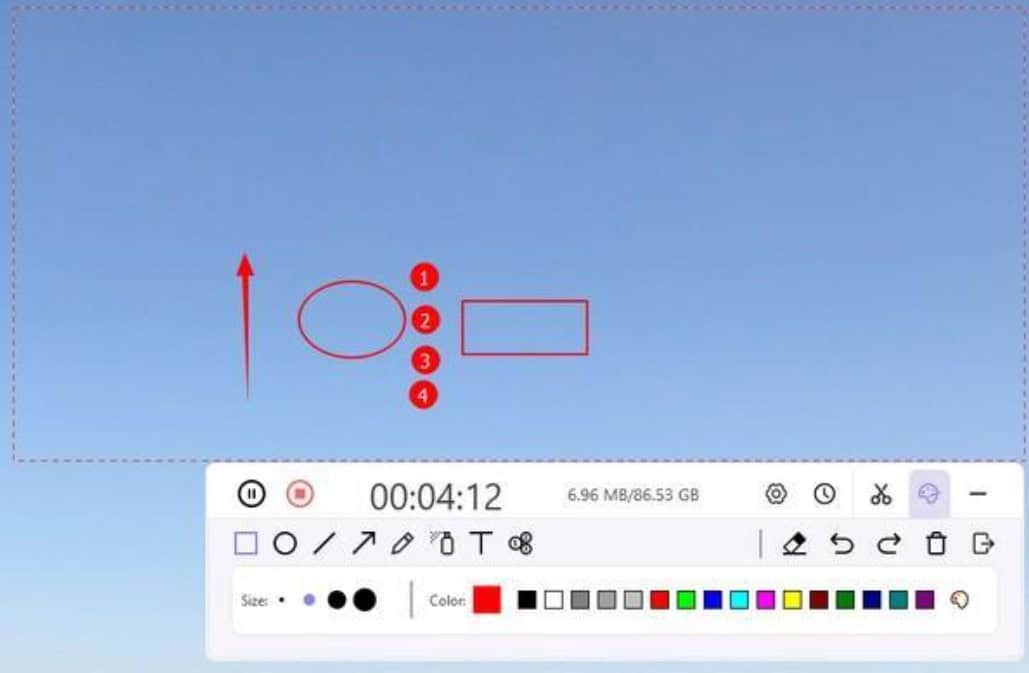
That’s it. The entire recording feature is greatly simplified. You can create and edit your recording in one place hassle-free. In addition, the free screen recorder allows you to record webcam, schedule recording, capture audio, and take a screenshot effortlessly.
Advantages for First-Time Users
As you can see, Leawo Free Screen Recorder is intuitive for users of all levels. Designed with a good balance between functionality and simplicity, it is a solid choice for casual users or those new to screen recording. Here are the benefits for first-time users.
- The user interface is clear with minimal clutter. Users can easily understand the functionalities and record videos without extra assistance.
- Leawo Free Screen Recorder requires minimal configuration to set up. Users can start recording instantly after installation.
- It offers essential recording functions with a simplified workflow, leading to an intuitive experience without overburdening users with sophisticated features they might not use.
- With a minimal learning curve, Leawo Free Screen Recorder lets users explore the features at their own pace.
Leawo Free Screen is truly Free. Unlike most free screen recorders that offer limited free features, Leawo Free Screen Recorder allows you to record videos without time limits. You can make a screen recording with no watermarks.
Conclusion: Is Leawo Free Screen Recorder Right for You?
This blog walks you through everything you need to know about Leawo Free Screen Recorder. Now you should know its powerful features, how to use it step-by-step, and the advantages of simplicity. The screen recorder is designed for beginners who are looking for a straightforward and effective recording experience. As a truly free tool, Leawo Free Screen Recorder is a great choice to consider for everyday use.