Modern design moves fast, and teams need visuals that keep up. Generated graphics step in as a flexible helper, turning prompts into sketches, mood boards, and polished comps in minutes. The result is less waiting, fewer bottlenecks, and more time spent refining good ideas.
These tools are not here to replace taste or vision. They make space for it. By offloading repetitive tasks and filling in early drafts, designers can focus on direction, storytelling, and craft where it matters most.
Faster Concepting And Iteration
Exploration is where projects gain momentum. With generated graphics, you can test multiple directions before lunch, then narrow quickly based on real feedback. It becomes easier to move from a vague brief to a clear creative path.
This efficiency helps teams dodge the classic version spiral. Instead of arguing over imagined outcomes, everyone can see concrete options side by side. Decisions speed up because the work is visible early.
Rapid ideation also lowers the risk of dead ends. When the cost of trying one more look is near zero, you try it. Sometimes that extra variation is the breakthrough you needed.
On-Demand Visual Variations
Variation is vital for campaigns that span many formats. Generated graphics let you swap palettes, compositions, and styles without redrawing from scratch. You can build families of assets that still feel related.
You can even prototype an image set, then refine only the winning direction. When that direction needs fresh scenes at scale, teams can tap services such as Stockcake AI mid-sprint without slowing production. The pipeline stays flexible while art direction stays consistent.
This approach reduces context switching. Designers keep their hands on the creative wheel while systems handle the repetitive rendering. Energy shifts from grinding to shaping.
Time Savings At Scale
Speed gains compound across a workweek. A large workforce study from Microsoft noted that many employees now use generative tools several times a week and typically save at least half an hour per day. For design teams juggling sprints, those small daily wins add up across a quarter.
Less time spent on mechanical tasks means more time for reviews and polish. Teams can stage work earlier and gather feedback while the cost of change is low. That cadence improves quality without adding overtime.
The simple math is compelling. When drafts appear faster, more of them get tested. When more get tested, the final picks are stronger.
Accessible For Non-Illustrators
Not every designer is a specialist illustrator, and that is OK. Generated graphics bridge gaps so that layout, product, and brand designers can produce convincing visuals. This helps small teams cover more ground without outsourcing every niche skill.
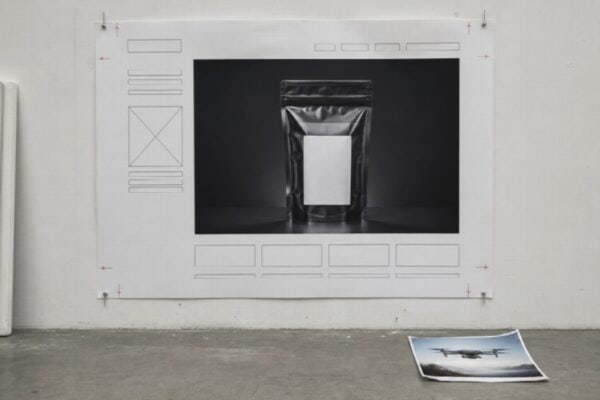
The result is practical self-sufficiency. You can mock up hero art, UI scenes, and packaging concepts that feel real enough to judge. Stakeholders react to something tangible instead of guessing from wireframes.
Confidence rises when people can see their ideas take shape. Even if the final is redrawn by hand, the generated draft gets you 70 percent of the way there.
Quality Control And Consistency
Standards matter across campaigns. A recent academic review mapped several main approaches for using AI in graphic design, which gives teams a structure for when and how to apply these tools. Treating generation as part of a defined workflow keeps quality predictable.
Style references, prompts, and checklists lock in consistency. Teams can codify brand rules and feed them into the process, so outputs align with color, tone, and composition. Review steps catch drift before it ships.
A shared prompt library becomes an asset. New teammates ramp faster because the system captures brand memory. The work looks like it came from one studio, not nine.
Personalization That Performs
Generated graphics shine in targeted campaigns. Reporting on enterprise tests, one outlet noted that an AI-driven creative set dramatically outperformed a benchmark with far higher engagement. Tailoring visuals to each audience segment can lift results without ballooning budgets.
Personalization used to be a tradeoff between quality and speed. Now teams can maintain visual standards while creating many versions. The best-performing variants inform the next round.
Feedback loops get tighter. You learn what resonates and bake those patterns into the next batch. Performance becomes a design input, not an afterthought.
Cost-Aware Production Planning
Budgets love options. When a photoreal scene or illustration can be generated in minutes, you can reserve paid shoots and specialist time for the shots that truly need it. That gives producers more levers to balance scope, schedule, and spend.
Previs helps too. Generated comps can pre-approve angles, props, and lighting before anyone walks onto a set. You waste less time on location because the plan is visual and clear.
Small savings stack into real money. Cutting one reshoot here and one vendor rush there adds up by year’s end.
Ethical Guardrails And Licensing Clarity
Professional use means professional standards. Teams should set rules for data sources, training disclosures, and content sensitivity. Clear guidelines protect clients and creators alike.
A simple checklist keeps things clean:
- Verify licensing and usage rights for every asset.
- Flag sensitive subjects and apply stricter review.
- Track prompts, seeds, and edits for auditability.
Accessibility features matter too. Add alt text and readable type when composites include text. Inclusion is part of quality.
Smart Workflow Integration
Good tools disappear into the work. Generated graphics slot into familiar apps for editing, color, and export. Files travel as layered PSDs, transparent PNGs, or vector proxies, so nothing gets trapped.
A lightweight integration plan helps teams adopt without chaos:
- Pick 2 or 3 high-impact use cases and define success metrics.
- Create a prompt bank and a short review rubric.
- Schedule quarterly refreshes to prune what no longer works.
Documentation turns experiments into a process. When everyone knows the steps, results repeat reliably.
Designers do not need magic. They need leverage. Generated graphics offer that leverage by speeding up early drafts, enabling variation, and keeping costs under control. The real win is more time spent refining the parts only humans can do well.
Treat these tools like a studio assistant. Give them a brief, review the output, and shape it to your standards. When the process is set up right, the work moves faster without losing its soul.