A CMS (Content Management System) is a software application that allows you to create and manage websites and digital content. Most CMSs available on the market come with drag-and-drop functionality, which means you can use them without any coding knowledge.
But choosing the best content management system for your business can be a challenging task. That’s because there are countless options available and each of them claims to be the best one.
That’s why we have come up with this guide, which contains a list of the best CMS platforms to choose from. So, read on to find a system that suits your unique needs the best.
Best Content Management Systems: Our List
If you’re looking for a reliable CMS for your business, consider going through the following list carefully.
WordPress
Best For: WordPress is best for business owners who are looking for a fully customizable CMS to build unique websites. It offers tens of thousands of plugins and themes to create any type of website you want.

According to recent statistics, there are about 810 million sites built using WordPress, which makes up 43% of all websites on the internet. These stats make this platform the most popular CMS out there.
Whether you need to build a blog, eCommerce store, business website, or a simple portfolio, you can use WordPress to achieve that.
While the core technology is free to use, you need to pay for high-quality security and speed plugins and a hosting service.
Pros
- Easy and free to use
- Open-source platform (which improves community support)
- Customizability and flexibility to build any type of site
- Thousands of plugins and themes to choose from
- SEO support to improve the digital presence
Cons
- High-quality plugins and paid
- Users need to pay for a hosting account and domain name
Shopify
Best For: Shopify is best for businesses who want to build eCommerce websites.
Shopify is arguably the most popular eCommerce content management system available in the market. If you want to make the process of selling your products online easy and efficient, you can’t go wrong with this platform.
Some of the best features of this CMS for eCommerce websites include a built-in shopping cart and payment processing features. It allows businesses to create an online store and start accepting payments quickly and easily.

Shopify also offers thousands of plugins, both free and paid, that you can use to enhance the functionality and look and feel of your website.
Pros
- The best option for eCommerce stores
- Built-in shopping cart and payment processing features
- Automated updates and data backups
- 24/7 customer support
- Thousands of plugins and themes are available
Cons
- Customizability is limited
- Can be pretty expensive if you add third-party tools to your store
HubSpot CMS
Best For: HubSpot is best for businesses who want to link their sales and marketing activities.
If your business uses organic or paid content as an inbound marketing channel, then HubSpot CMS can be your best choice. You can use this platform to integrate your CRM and marketing tools inside the content management system.

This integration will allow you to automate your marketing processes and get detailed customer information in the form of reports. Additionally, it’ll also keep you from going through the hassle of using third-party tools.
Another great feature of HubSpot CMS is that it comes with built-in marketing and SEO (Search Engine Optimization) tools. It also allows you to collect your customer data to make data-driven decisions, improve your digital presence, and increase sales.
Pros
- Drag and drop website building functionality
- Makes marketing easy
- Integrates with HubSpot CRM and marketing tool seamlessly
- Comes with built-in SEO and security features
Cons
- No free version is available
- Might not be the best option for businesses on a tight budget
Drupal
Best For: Drupal is best for businesses with in-house technical resources to build highly customized websites to manage large volumes of traffic and data.

Just like WordPress, Drupal is also an open-source content management system that you can use to create highly customizable sites. From highly complex business websites and eCommerce stores to simple blog and portfolio pages, you can create anything using this platform.
However, it’s not as easy to use as WordPress and you need to have some technical knowledge to utilize its full potential.
One of the biggest benefits of using Drupal CMS is its high-security levels. Websites built on this platform are extremely difficult to hack, protecting your confidential data.
Pros
- Excellent choice to build complex websites
- Open-source platform with community support
- High-security levels
- Different plugins and modules for improved customizability
Cons
- Requires technical knowledge
- Difficult to customize the website’s appearance
Joomla
Best For: Joomla is best for experienced website creators and developers who need to build large and complex websites.
Joomla is also an open-source and free-to-use content management system. It’s highly customizable and offers many advanced features to build complex solutions.
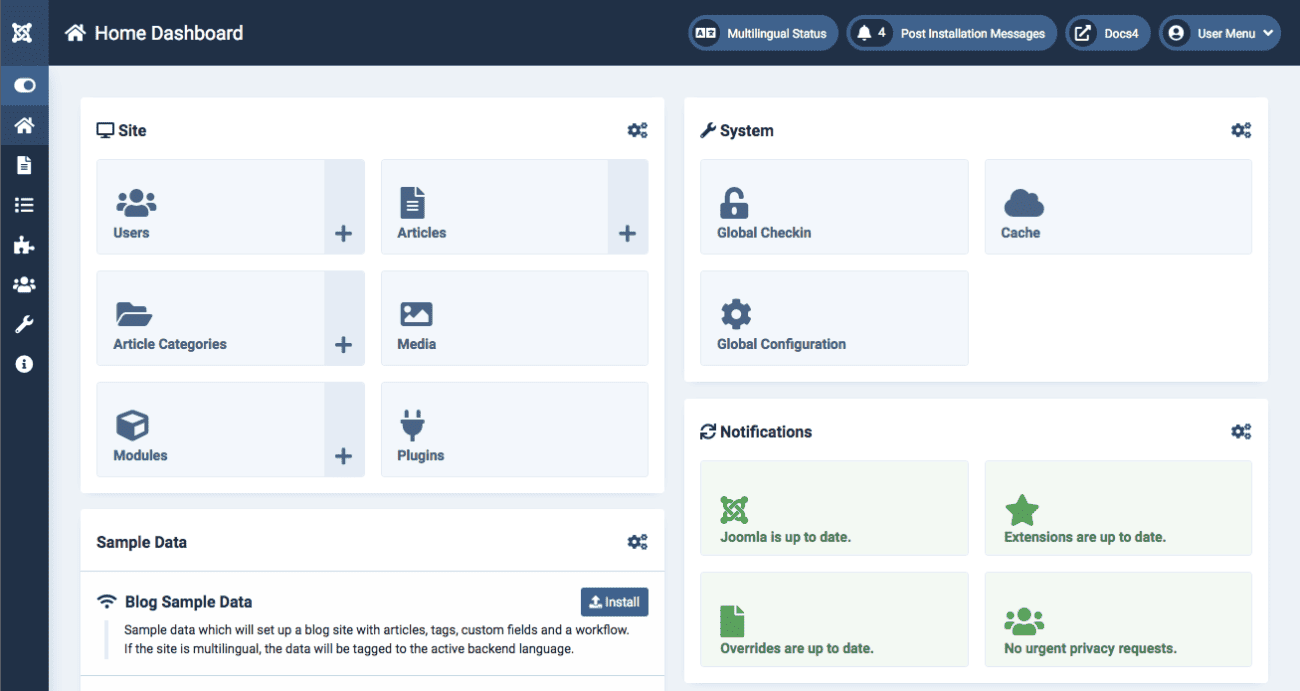
However, the biggest downside of using this platform is that it requires even more technical knowledge than what you need for Drupal.
That’s because it’s designed for developers who need a website building and content management platform to get things done quickly.
Pros
- A wide range of extensions and templates available for customizability
- Continuous updates from the company with new features
- Numerous design options
Cons
- Not a good option for non-tech guys
How To Choose the Best Content Management System
Choosing the best CMS doesn’t have to be a difficult task. You just need to make sure that you consider the following factors while making your final decision.
- Ease of Use: The CMS should be user-friendly and easy to navigate based on the level of your technical skills. For example, if you’re technically sound, you can opt for Drupal or Joomla. Whereas, WordPress is the best option for non-tech people.
- Customization Options: The content management system you choose should offer a range of customization options, including themes, plugins, and widgets.
- Security Features: You want to go with a platform that offers robust security features to protect against hacking attempts and data breaches.
- Scalability: It’s another important factor to consider in a CMS. It should be able to handle large amounts of content without slowing down or crashing.
- Support: The stronger the community support of a CMS the easier it will be to find help in order to troubleshoot and resolve issues. Additionally, live customer support should also be available 24/7.
- Integration Capabilities: It’s important to choose a CMS that integrates well with other software tools used by your organization.
- Budget: You do not want to invest in a CMS that puts strain on your business budget. Compare pricing plans offered by different platforms that choose the one that suits your budget needs.
Final Words
The best content management system is the one that suits your brand’s unique needs the best. So, a good strategy to find the best system is to determine your needs first and then start looking for available options.
Make sure that you keep this guide handy as it contains the best content management systems that can help you lead your business to success.