Canva Alternative : 14 Best Free Social Media Graphic Design Tools

You may wonder – “Why look for Canva alternatives? Isn’t it enough?” For all intents and purposes, it is. It offers easy to use tools, thousands of free templates and over 100 design types in its zero-cost plan. The fact that it has 75 million active monthly users speaks much of its popularity.
But it is not the only free, web-based graphic design software around. There are others that can ably address your social media graphic design requirements. We searched and tested similar apps and came up with these Canva alternatives. You might find them just as compelling, easy, and fun to use.
What are Social Media Graphics?
All non-text components on social media can be considered as graphic or visual elements. These include, among others:
- Images
- Photos
- Illustrations
- Collages
- Gifs
- Animation
- Cartoons
- Artworks
- Videos
Short texts are still often used and combined with visuals to come up with engaging graphics. Hence, there are social media posts in the form of adverts, infographics, banners, art cards, memes, picture quotes, presentations, and the like.
If you’re a business, you’re banking on these graphics (together with your content) to engage and entice visitors to your social media page. This is where graphic design tools come in to give you great-looking visuals.
You may ask – can’t photo editing software do the job? It can in some ways, especially if you’re mostly sharing picture-based posts. But let’s distinguish between photo editors and graphic design apps.
Photo Editors vs. Graphic Design Tools
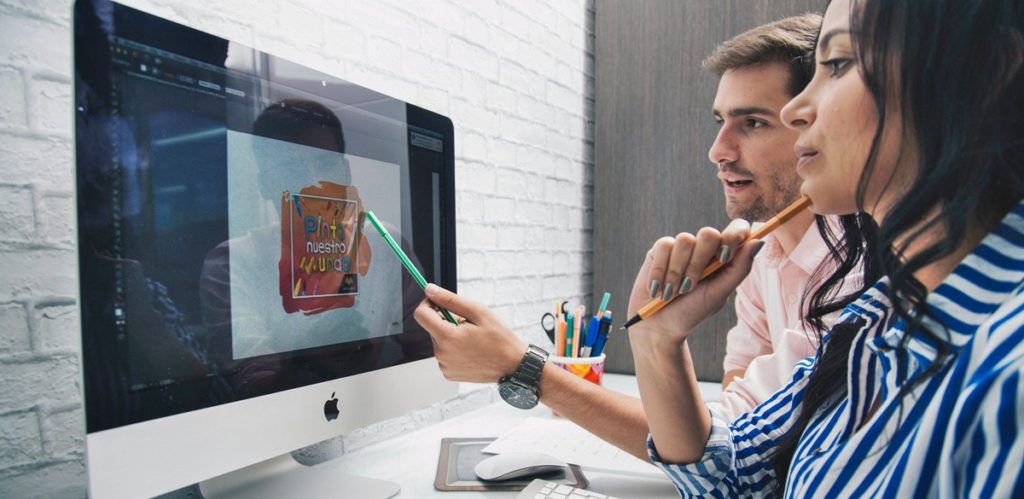
The main function of photo editors is for image enhancement. Posting dull, fuzzy images will not get you likes. With photo editing apps you can make pictures more vibrant by adjusting brightness, sharpness, contrast, saturation, etc. You can also resize, rotate, or crop photos, among other adjustments. Image editing requires an eye for technical details.
On the other hand, graphic design tools provide a specialized function that taps into your creative side. The operative word is “design” thus these tools allow you to create various design types for your needs such as posters, flyers, greeting cards, brochures, menus, logos, and more.
You can produce templates or tweak what’s provided, colorize the text, remove backgrounds, and add filters and effects. Often, you get one-click controls and everything is done automatically with AI-powered tools.
In your projects, you often might need both photo editor and graphic design tools. The great thing is that you’ll find the two functions offered as a pair in most photo editing or design apps such as those we have below.
Free & Capable Alternatives
We laid out the following considerations in our Canva alternatives:
- Free. Keep in mind that these no-cost options are often supported by ads. Also, you’re sometimes limited to using basic tools. More advanced tools are unlocked with paid plans.
- Functionality. If it is both photo editor and graphic creator, great! However, some apps in our lineup have unique, dedicated functions such as being a collage or infographic maker.
- Capability. It must have adequate features even in its free plan, enough to get the job done. Preferably, they must have fast, automated operations.
- Ease of use. The app should be user-friendly with simple navigation and intuitive controls.
That said, let’s check them out.
1. Pixlr
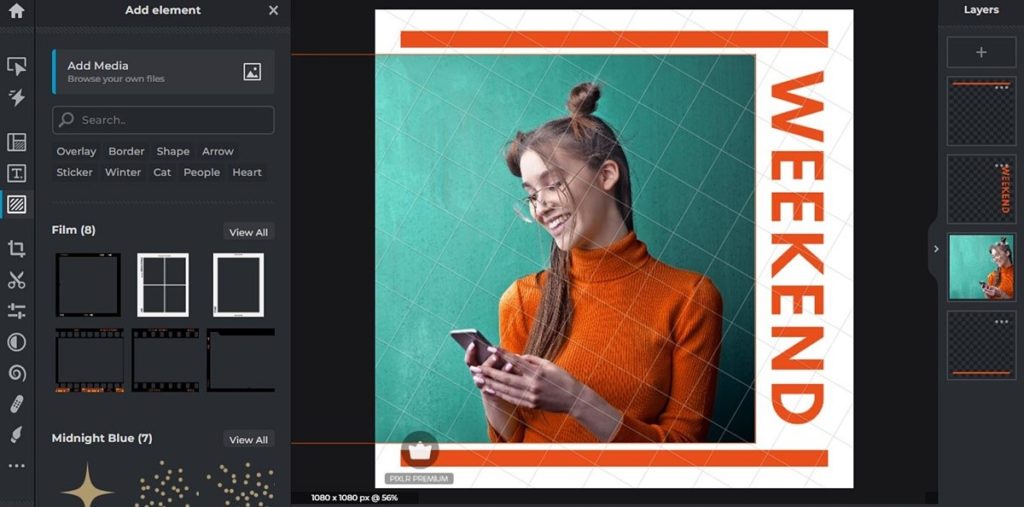
Pixlr is one of the more established image editing software, first released in 2008.
At a glance, it might look like Photoshop. That’s because it has a similar UI and also carries powerful tools. But while the vaunted Adobe product may require a steep learning curve, Pixlr is easy enough to use even for first timers. That’s why it’s been dubbed the “Photoshop for beginners.”
The software comes in two versions – Pixlr E (an image editor) and Pixlr X (a graphic design toolbox). The former gives you both basic and advanced image adjustments. There are dozens of one-click tweaks as well as professional-level photo enhancement and manipulation through layers, masks, and effects.
On the other hand, Pixlr X lets you easily design graphics specifically for social media. You can use free images from their gallery or upload your own, fit them into pre-made templates (FB banner, Twitter cover, Instagram post, Youtube art, etc.), add your text, and that’s it. Social media graphics creation has never been this easy, even if you have no design background.
What you need to know:
- Pixlr is free but…While you get access to both E and X, it’s only for basic editing tools and a limited set of design assets. There are also ads.
- Two paid plans are available. They allow full access to extensive features, and the use of thousands of templates, icons, stickers, and decorative texts. Ads are eliminated.
- It is browser-based. Nothing to install just like the other programs on this list. But it also has iOS and Android mobile apps as well as separate desktop software.
2. PicMonkey
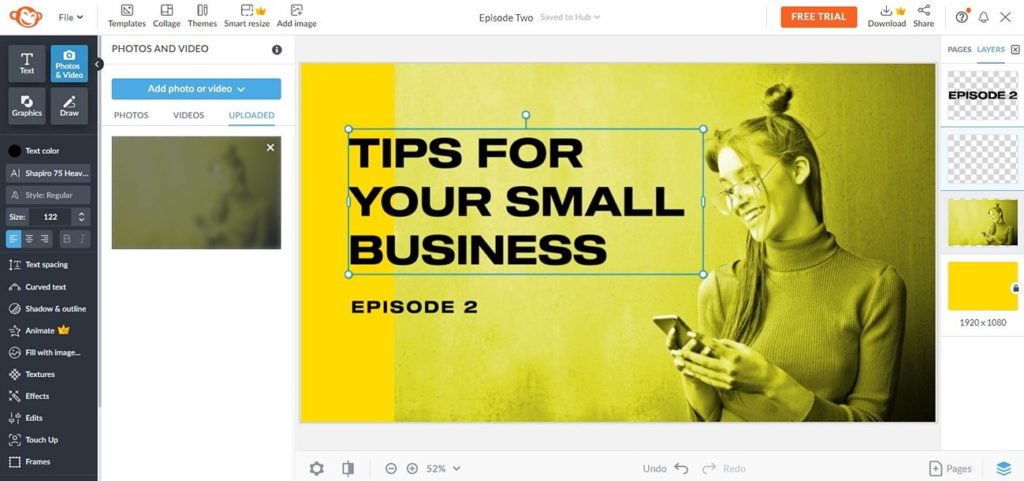
PicMonkey is a photo editing software launched in 2012 and designed to be “fast and lightweight.” It has evolved to be a combination editing and design app and is a favorite of bloggers and social media users. That’s because of its ease of use and ability to provide quick, quality results.
It offers all the basic editing stuff plus more such as color filters, layers, and effects. You can rotate, crop, resize, sharpen, and colorize pictures. PicMonkey even has a nifty touch-up tool for removing blemishes or digitally applying full-face makeup.
But where it truly shines is in creating social media graphics in a jiffy. There are over 5,000 design assets like graphics, fonts, textures, and templates you can use. All these come in handy when making ads, logos, business cards, postcards, announcements, and invitations. You can level up your game and improve your social media posts with magnificent designs, without breaking a sweat.
What you need to know:
- Subscription is required. The app is free to use but to be able to share or download an image you have to subscribe.
- Premium features can be unlocked. Subscribers can use premium features such as image storage and a touch-up tool.
- It’s widely compatible. The app works on any OS and all browsers. Mobile apps are available.
3. Design Wizard
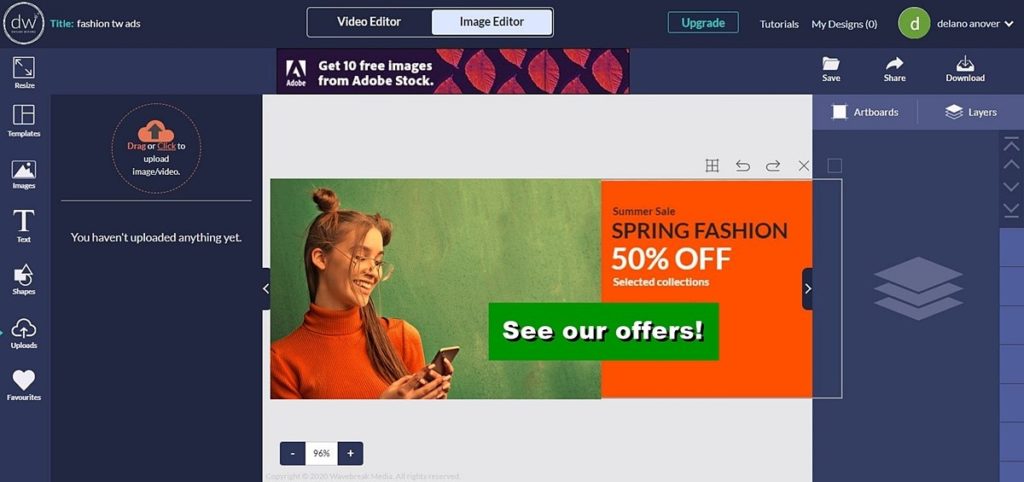
Design Wizard is a video creator and image design software specifically targeted at social media users. Its user-friendly tools allow you to easily edit and create videos as well as graphics. What might take you hours will only require minutes for your web content projects.
Each social media site has its distinct design structure. There is no one graphic design that fits all. For example, an Instagram image has a different dimension from a YouTube cover or a Twitter post. Even Facebook requires various sizes for its post, cover, and ads. Imagine doing everything individually and manually.
Design Wizard simplifies the process by providing exact custom-size templates for all these social media platforms. Just select the relevant image from the picture library, fit it into the right template, add your text, and download or directly share the finished design. Editing and creating short videos likewise follows a straightforward procedure even if you have zero skills with this.
What you need to know:
- Downloads aren’t free. The basic plan and its tools are free. However, you need to pay for video and image downloads. It’s a one-time payment, meaning when you buy one image you get a lifetime license to use it as many times and any way you want.
- Credit-run system. Credits are in-app currencies wherein 1 credit is equal to 1 download. It’s best to familiarize yourself with this if you plan on using the app more often.
- Massive library. With over a million images and 15,000 templates, you have a huge collection of digital assets to work with.
4. BeFunky
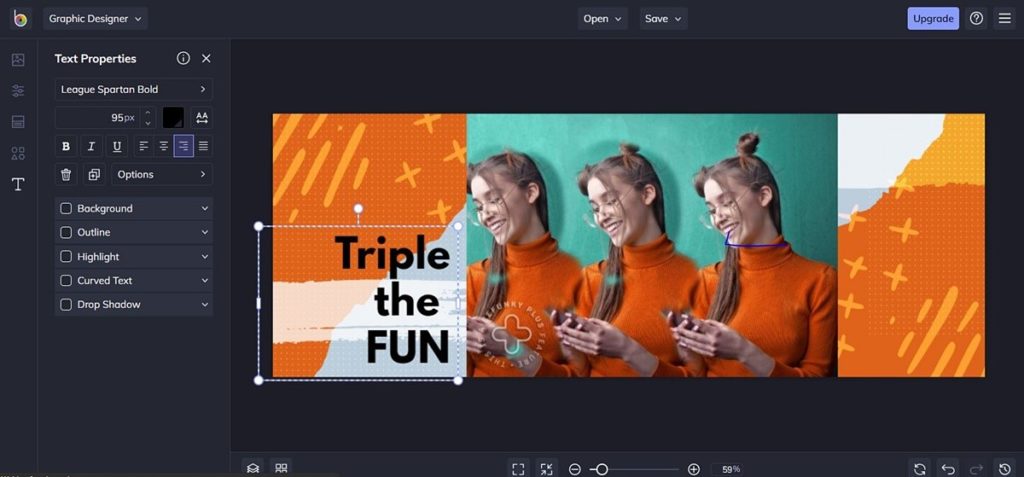
BeFunky is a feature-filled online software for editing photos, making collages, and designing graphics. Beginners will find a good option in its basic editing features for image enhancement. Meanwhile, more advanced users will appreciate its smart toolkit that includes art effects, digital touchups, and image layer editing.
Creating a collage from pictures is a breeze. You can use pre-made collage layouts designed for Pinterest and Facebook. Simply fill in the blank spaces with pictures, add decorative patterns or colorful backgrounds, put in some artistic text, and voila! You’ll have a captivating collage in no time.
The ease of designing extends to its graphics maker. Your starting point is any of the 200+ free templates which you can use to create social media headers, posters, banners, brochures, and so on. It’s a drag-and-drop operation that will have you designing social media graphics quickly and easily.
What you need to know:
- You can quickly import stock photos. Unique to BeFunky is the ability to smartly upload photos for your project directly from Unsplash and Pixabay, the go-to websites for free images.
- Free is limited. You’re confined to using basic editing and touch-up tools. You also have limited use of design templates, collage layouts, textures, fonts, and other assets.
- Free is ad supported. You’ll find on the right side of the platform’s interface a whole column of ads that might be distracting.
5. Snappa
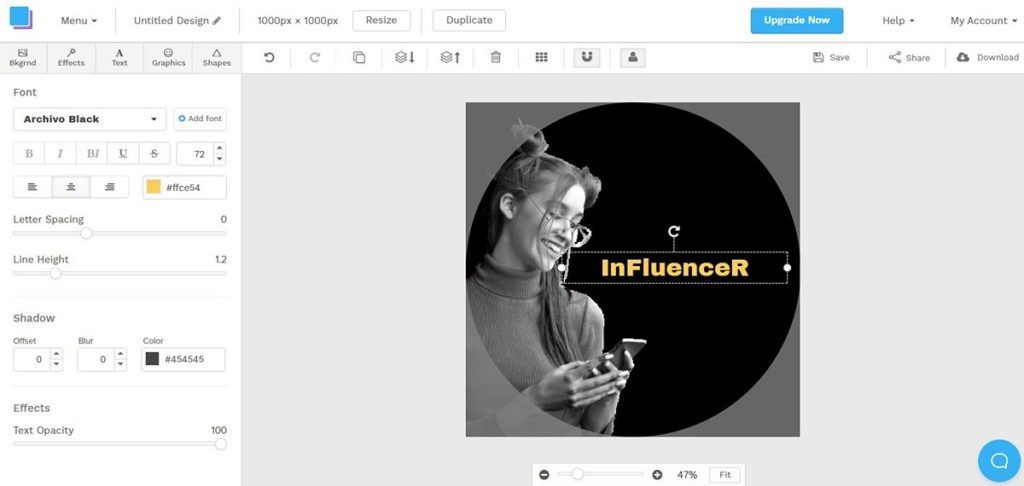
Snappa has its name rooted in its purpose – to give you easy-to-use tools so you can quickly design social media graphics and other visual content. The cloud-based platform is ideal for online marketers who need to swiftly come up with compelling designs without sacrificing quality.
This is why Snappa was built for speed. It provides an all-in-one solution for all you require – smart tools, and free images and graphics. The intuitive process starts with choosing an appropriate image and pairing it with pre-made templates. Then just add your preferred graphics, effects, and texts.
Resizing a design or changing its dimensions is a simple 2-click operation. If you’re satisfied with the outcome you can immediately share it on your social media without leaving the Snappa platform.
What you need to know:
- Graphics galore. 6,000 templates and 5 million graphics and photos are available for your use on a free account. The caveat – you can only download three completed designs per month.
- Auto-posting. Snappa provides Buffer integration (on free and paid plans) which allows you to schedule the publishing of photo or graphic design posts.
- Photo editor. There are basic editing functions you can use and extras such as background remover, image cropper, resizer, and one-click rotate.
6. Fotor
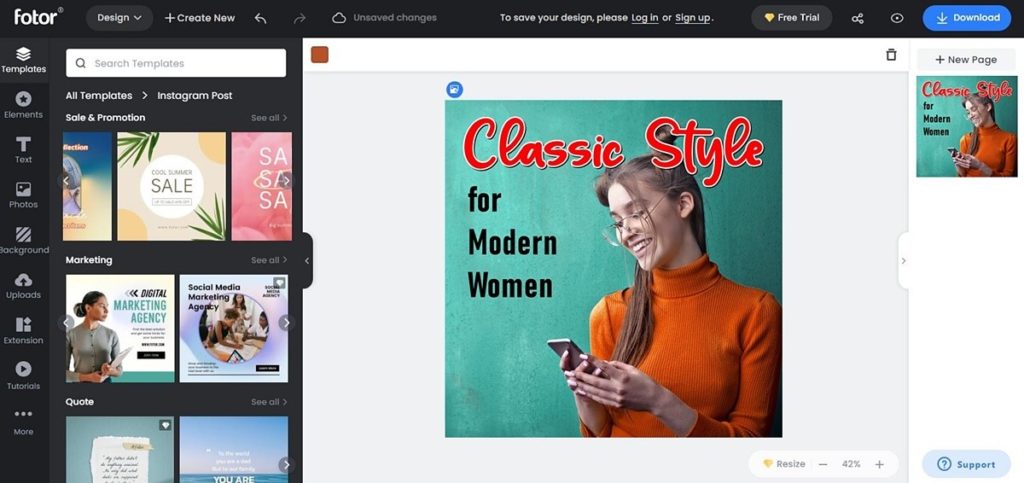
Fotor brings three functions in one web platform – photo editing, graphics design, and collage making. It’s a one-click affair for most controls and the processes are done automatically. What you get are fast operation and quick results.
There are several things to like about Fotor aside from its ease of use. It has an intuitive interface, convenient photo management, RAW file converter, and built-in effects and filters. It has nearly two dozen scene filters that require only one tap to change the look and mood of a photo. It also has a skin/beauty retoucher and an AI-powered photo-to-art converter.
Fotor’s graphic designer is also a straightforward tool. You can make attractive ads, posts, logos, and many others with the use of free templates from its huge collection. Furthermore, you can easily create media campaign materials, marketing graphic designs, and publication designs like magazine covers and eBook layouts.
What you need to know:
- Basics for the free plan. For zero cost you get basic touch-ups, photo effects, and editing tools. There is also limited use of collage layouts and design resources.
- HDR tech. The free plan comes with High Dynamic Range software to help you perform alignment, tone mapping, and ghost reduction – stuff normally reserved for high-end premium software.
- Access from anywhere. You can sync photos and works online and access them anywhere at any time from all your connected devices.
7. Stencil
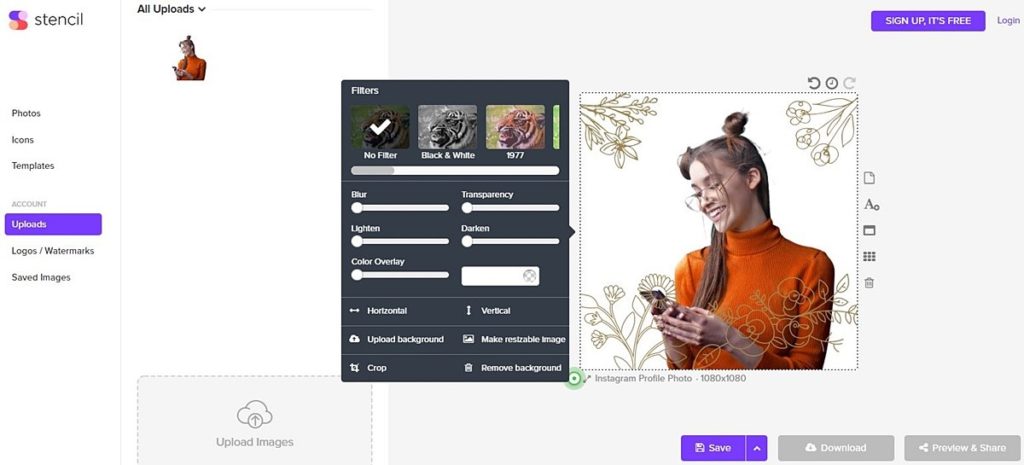
Stencil is a cloud-based design app engineered for efficiency and speed, helping you focus on your work and get faster results. It is slim and lightweight, meaning there are no unnecessary features that bloat the app. You’ve previously encountered design software crammed with tools when all you actually need is just a few of them. You spend more time choosing tools than using them.
With Stencil, the tools and assets that matter are there. The app is built for social media sharing; hence creating graphic designs is extremely fast and easy. It doesn’t matter if you’re making a Facebook cover, Snapchat ad, Twitter header, or others; the right fit is available with pre-designed templates. You can customize and change dimensions anytime without starting over again.
Now add your branding assets – icons, colors, texts, etc – or choose from a collection of graphics and photos. You can then schedule your posting and set when they will go live.
What you need to know:
- Many online options. Stencil works on any modern browser. But it also has a Firefox add-on, a Chrome extension, and a WordPress plug-in so you can create designs right within the popular CMS platform.
- Free is for hobbyists. With the free plan, you get limited photos and icons. Also, you only get to upload 50 images and create 10 collections per month.
- Collections are folders. This is a convenient feature for managing or organizing your works/designs according to category or project. Collections are limited in the free plan but can range from 25 to unlimited collections in the two paid plans.
8. Desygner
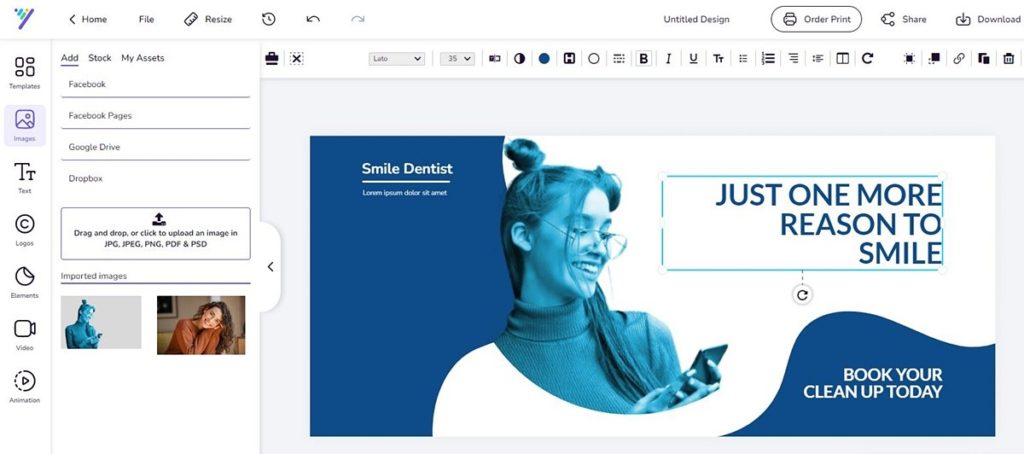
Desygner is a popular graphic design web app used by social marketers, entrepreneurs, and small businesses. Boasting over 20 million active users with 60,000 business subscribers worldwide, the app’s main attractions are its ease of use and several solid offerings, even in its free plan. It also has potent mobile apps for iOS and Android that makes it suitable for professionals on the go.
Desygner’s free plan comes with access to dozens of industry and social media relevant templates, more than 300 types of design formats, and hundreds of free fonts. Of course, two pro plans unlock even more features and digital assets including access to 125 million photos, videos, and illustrations from Shutterstock.
Creating designs with the app is an automated process with a drag-and-drop editor and one-click controls. The steps, like the other design apps, follow a similar pattern – choose the template you want, add graphics and elements, and review and download. The difference is the speed and ease of creating from scratch to a professional, quality design.
What you need to know:
- Multi-function app. Desyner is also a PDF editor, animation maker, image resizer, and background remover. Designs made with the app are also print-ready.
- Customization. Desygner lets you tweak your designs every step of the way by adding stickers, shapes, placeholders, and backgrounds. There is even a drawing tool.
- Ruler grid. This very useful feature, often not found in other apps, gives you an idea of the overall dimensions of your design and the sizes as well as alignment of the elements in it.
9. Lunapic
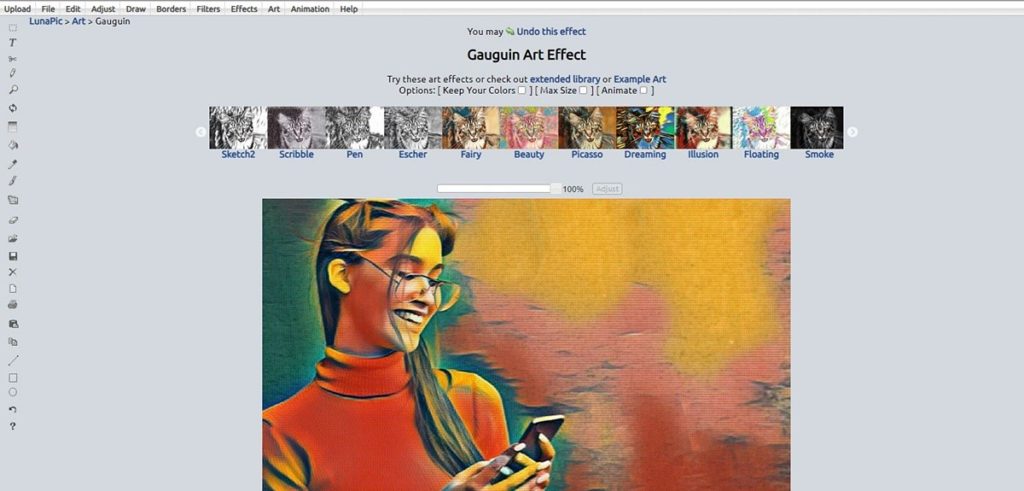
Lunapic is a web-based photo editing platform with a renowned specialty – converting photos into artworks. You’ve seen the trend – many are sharing visual content (posts, pins, ads, etc) in the form of art, drawings, sketches, cartoons, digital renderings, and similar artistic representations.
Art is an effective medium for visual communication. They are fun, enticing, and pleasing. And they tug at the emotions. Lunapic excels at photo-to-art transformation, providing fast one-click conversion. All you have to do is upload a photo, choose from dozens of art styles (pencil sketch, ink portrait, Van Gogh, Picasso, etc.), and download/save the finished “artwork.” You have the option of directly sharing your work on your social media pages.
As a photo editor, Lunapic provides an extensive array of enhancement tools from basic editing to retouching and adding art filters. You can even remove backgrounds, do animation effects, and include text overlays. The navigation is smooth and the operation is seamless.
What you need to know:
- Totally free. No ads, no sign-ups, and no registrations are required. Just go to the site and start editing and converting.
- No limitations. Lunapic can be used in full with no limits to its 200+ tools. In addition, you can upload as many pictures each day, work on them, and download them. It’s one free app with the most generous offerings.
- Avoid large picture files. It takes a few seconds more to upload and process large photo files. If this is an issue for you, work on pictures with smaller dimensions for faster results. Anyway, you don’t need big-sized photos for social media postings and web content.
10. Venngage
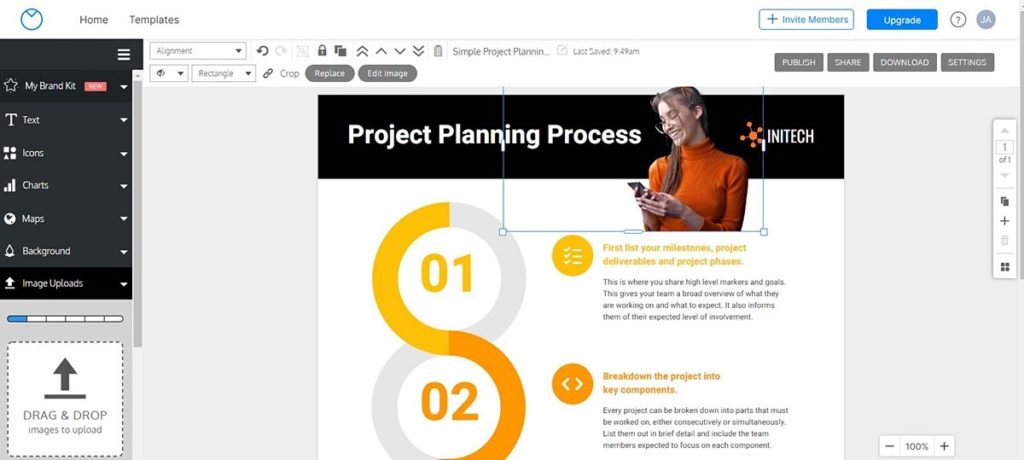
Venngage might be the odd man out since it is not a photo editing app. However, the valid reason for including it here is because of its graphic design specialization. It is an online infographic maker – and a popular one at that. More than 40,000 teams worldwide rely on its capability to visualize their ideas. So what makes it click?
Infographics in recent years gained traction because of the need to present data in bite-sized form. No one will read your information in blocks of text. But simply present info highlights together with eye-catching visuals and it’s more likely to be understood and appreciated by your audience.
Making infographics is tedious and previously will require a professional graphic designer. Now with Venngage, it’s an automated, DIY process. It takes three simple steps – select from over 7,500 professionally-made templates relevant to your industry; add icons, text, images, and other elements using a drag-and-drop editor; then download and share/post your infographic.
What you need to know:
- Infographics are share-worthy. According to a HubSpot report, infographics are shared and liked 3X more than other types of social media content.
- Easy to use the app. Venngage scores high marks among entrepreneurs and bloggers who find the software very reliable and user-friendly.
- Again, free is limited. Five designs, six image uploads, and a few icons and widgets are all you can work with per month. Premium plans for individuals, businesses, and enterprises are offered.
11. Visme
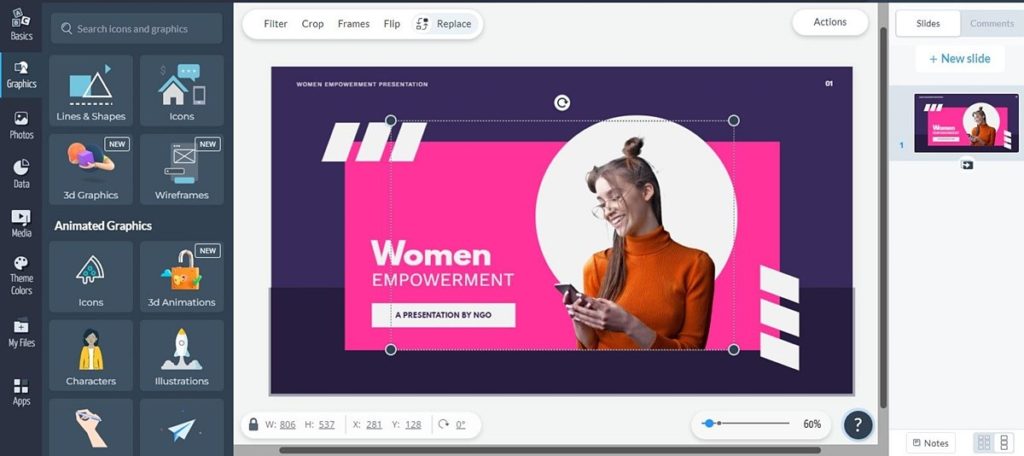
Visme is an online platform that bills itself as a one-stop solution to all your design requirements. It is ideal for marketers and businesses who need to come up with presentations and marketing materials. These include not only social media graphics but also business documents (reports, proposals, and invoices), data visualizations (infographics, charts, and maps), advertisements, videos, and more.
It is basically templates plus tools in your very own digital workshop. You have access to ample amount of design assets in Visme’s vault – stock photos, templates, data widgets, icons, etc. From all of these, creating visual projects from the ground up is a breeze, combining ease of use with the platform’s capability.
A quality appreciated by businesses and professionals is Visme’s attention to branding. It provides features that allow you to save your company’s logos, icons, colors, letterheads and other branding assets. You can use these repeatedly in your various design projects, allowing for brand consistency across all your corporate materials.
What you need to know:
- Cloud storage for free. The basic plan needs you to sign up which gets you 100MB free storage. That may not be enough but there are paid options that offer bigger storage and more tools.
- Create interactive content. Design assets include not only templates and images but also animations, videos, and music so you quickly stitch together a fully branded interactive presentation. No technical skills needed!
- File sharing tools. Live publishing, view-only linking, co-editing files, and commenting options are some file sharing features.
12. VistaCreate
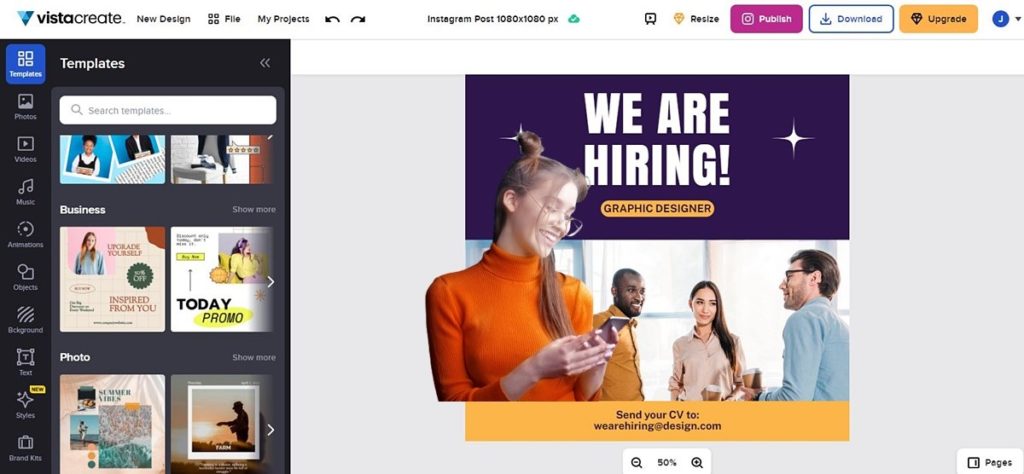
VistaCreate is the former Crello, a web-based graphic design app that is a favorite of bloggers, entrepreneurs, and social media specialists. With simple but powerful design tools and lavish offerings in its plans, it gained traction in the industry and experienced phenomenal growth. It was founded as Crello just in 2016 and now as VistaCreate counts more than 10 million active users.
So what’s the formula for its success? The people behind the VistaCreate team are bound by a common love of design and technology. They believe that great design and visuals help relay messages effectively. That is why the app is social media-focused, helping you amplify what you say on these networks.
As such, you get to use templates for posts, ads, stories, intros, banners, thumbnails, displays and more especially designed for Facebook, YouTube, and Instagram. Quickly edit the templates and add text, images, graphics, effects, and other design assets, then post the visuals directly to your social media. All these from start to finish will take only minutes. And you can do your designs on desktop or with mobile apps.
What you need to know:
- 10 gig storage! That’s a massive 10GB of free cloud storage for the zero cost Starter plan.
- Fully-stacked plan. Yes, that Starter plan is brimming with features and assets like background remover, brand kit, 75K templates, and 1 million videos, images, and vectors.
- Low-cost Pro option. There are only two plans – the free Starter and the Pro plan at an affordable $10/month that gives you unlimited everything.
13. Adobe Express
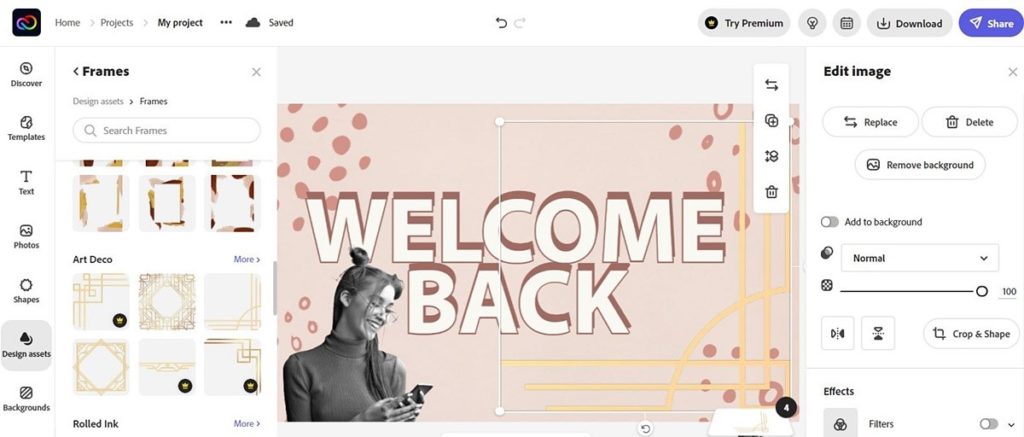
Adobe Express is the latest iteration of Adobe Spark which was a combination of three tools in one – Post, Page, and Video. These were all designed as web tools with mobile apps for iPad, iPhone, and Android-powered devices. Express unifies and improves all the features of the previous apps to provide a viable alternative both for novice and professional designers.
You have to hand it to Adobe. Being the de facto standard for photo editing and graphic designs, you get the expected quality results using the cloud app. You have robust features and capabilities with Express, making it easy to create visuals and graphics that stand out.
The templates available are highly customizable, allowing you to put in and rearrange elements on a whim. Beginners will find app intuitive and fluid, with smooth controls and navigation. While it’s great for novices since operations are mostly automated, seasoned designers will find it more than up to the task with its solid toolset and huge template collection.
What you need to know.
- All tools in free plan. The no cost plan includes full use of all core tools and features, including Adobe fonts, design assets, and thousands of templates.
- Free cloud storage. 2GB cloud storage comes with the free plan. Storage expands to 100GB with the Premium plan at $9.99/month.
- Sign-up required. Since its part of the Creative Cloud, you need to open an account with Adobe to log in and use Express for free.
14. QuotesCover

QuotesCover does one thing and does it well on the fly – create picture quotes. Have you noticed the prevalence in your social media feeds of stunningly designed posters or cards with memorable sayings? They engage audiences and get likes. Now you don’t need to be a pro to make those eye-catching visualized quotes. You only need QuotesCover.
Your favorite words of wisdom are reflective of your personal beliefs, business principles, or corporate advocacies. So you want to package and present those quotes in a compelling fashion when posting them on social media. While you can make these picture quotes in practically any editing program, QuotesCover goes a notch higher.
That’s because the app can randomly generate quotes or you can quickly search for relevant quotes within its huge database of over 12,000 famous quotes. This saves you time from scouring the internet looking for wise sayings. In addition, QuotesCover offers a step-by-step design wizard or you can straightaway make your own by combining background photos, text, and design elements.
What you need to know:
- Tons of free stuff. The free, browser-based app comes fully loaded. Aside from thousands of quotes, you get access to more than 2 million free background photos, 400+ fonts, and dozens of image overlays.
- Affordable Pro plan. This starts at $2.50/month which removes ads and opens more capabilities like saving templates and adding brand assets.
- Bonus tools. There are other design tools carried by the app that can help you make profile pictures, Facebook covers, Instagram carousels, and YouTube thumbnails.
Level Up Your Social Media Marketing
Effective social media marketing is a mix of great content (relevant messaging and information) and great design (engaging visuals and graphics). Experts always emphasize the need for design to support content or you won’t get optimal results.
It is therefore paramount that the graphics you post on social media are well designed and able to reinforce what you have to say. Marketers are aware of this and take time and effort to level up their campaigns with interesting and captivating graphics in whatever form – banners, ads, infographics, announcements, posters, etc.
This article isn’t meant to pull you away from the graphic design tool you’re currently using. It’s intended to give you a fresh perspective on what’s available out there so that when the time comes for you to consider options, you can look right here for viable alternatives.