

KWFinder Review: An In-Depth Exploration of Features and User Experience for SEO Keyword Research
Overview
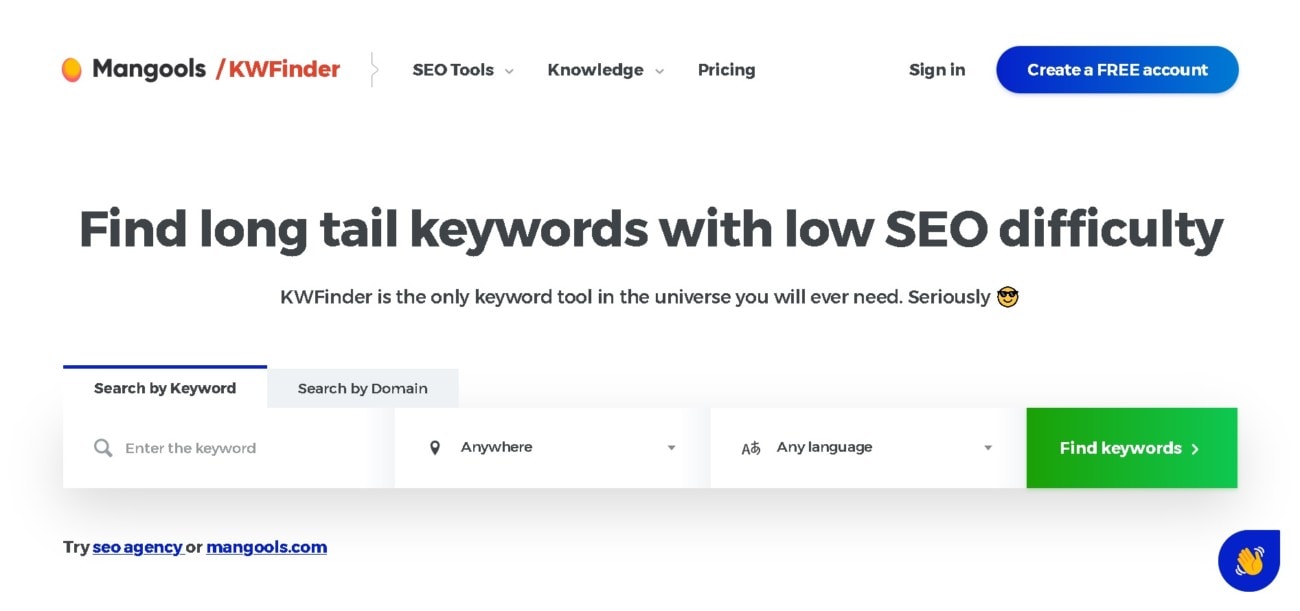
KWFinder is a specialized keyword research tool designed to help SEO professionals, content creators, and digital marketers discover long-tail keywords with lower competition in various niches. Developed by Mangools, a company known for creating SEO-focused tools, KWFinder targets users who aim to optimize their online content for search engines to improve visibility and ranking.
Check if you can get any special discount with our KWFinder coupon code article.
Features & Functionality
KWFinder distinguishes itself with a focused set of features that streamline the keyword discovery process:
- Keyword Research: Offers search volume, trend data, cost-per-click (CPC), and keyword difficulty score.
- SERP Analysis: Provides a look at the Search Engine Results Page (SERP) for individual keywords to analyze the competition.
- Local Keyword Research: Enables research for keywords in specific cities and countries, which is particularly beneficial for local SEO strategies.
- Search Volume and Historical Data: Offers historical view of search volumes to identify seasonal trends and patterns.
- Google Suggest Integration: Utilizes Google Suggest for keyword variations and ideas.
The unique selling point of KWFinder lies in its simplicity and the accuracy of its keyword difficulty metric, which has been commended by various SEO communities for its reliability.
Usability & User Experience
KWFinder has been praised for its user-friendly interface, which is clean and minimalistic, thus making navigation intuitive even for beginners. The dashboard is well-organized, and users can quickly get a grasp of its functionalities without a steep learning curve.
Regarding mobile responsiveness and cross-browser compatibility, KWFinder maintains functionality across various devices and browsers, albeit with a more seamless experience on desktops due to the nature of SEO tasks.
Integration & Compatibility
KWFinder does not heavily focus on integration with other platforms, which can be seen as a limitation for those looking for an all-encompassing SEO suite. However, it supports the export of keyword data in CSV format, which can be easily imported into most spreadsheet applications.
Pricing & Packages
Mangools, the creator of KWFinder, offers tiered pricing that provides access to their entire suite of SEO tools, which includes KWFinder. The pricing is transparent, with no additional or hidden costs:
- Basic: Ideal for beginners.
- Premium: For more advanced users with higher needs in terms of lookups and keyword lists.
- Agency: Best suited for agencies and businesses with extensive SEO requirements.
Each tier provides a certain number of keyword lookups, competitor keywords, and SERP lookups per 24 hours, with the capacity increasing as you move up the tiers.
Customization & Flexibility
KWFinder does not offer customization in terms of templates and themes, as its primary function is data-driven. However, users have the flexibility to create keyword lists and organize their research effectively within the tool.
Customer Support & Resources
Mangools provides customer support for KWFinder via email and live chat, with an emphasis on quick and helpful responses. The support is not round-the-clock but covers most business hours. Additionally, a comprehensive knowledge base, tutorials, and a community forum are available to assist users in maximizing the tool’s potential.
Security & Reliability
While KWFinder does not handle sensitive personal information beyond user account details, it ensures data protection through standard industry practices. The reliability is high, with consistent uptime and performance stability reported by users.
Pros & Cons
Pros:
- Intuitive interface and ease of use.
- Accurate keyword difficulty scoring.
- Effective local SEO keyword research capabilities.
Cons:
- Limited integration with other tools.
- More advanced features may be lacking for users with complex SEO needs.
User Reviews & Testimonials
User testimonials generally highlight KWFinder’s effectiveness in uncovering valuable long-tail keywords and its straightforward interface. Some users have expressed wishes for more integrative features and a broader range of SEO functionalities within the tool.
Alternatives & Competitors
Competing products include:
- SEMrush: An all-in-one SEO toolkit.
- Ahrefs: Known for its backlink analysis capabilities.
- Moz Pro: Offers a suite of SEO tools with a strong focus on education.
What Makes It Different From Its Competitors?
KWFinder’s standout quality is its balance between depth of functionality and user-friendly design, making it an accessible yet powerful keyword research tool. Its keyword difficulty score is specifically noted for its accuracy compared to other tools.
Conclusion & Recommendation
KWFinder is an excellent choice for those who need a dedicated keyword research tool that is user-friendly and efficient. Its precision and local keyword research capabilities make it particularly useful for small to medium-sized businesses and SEO professionals focusing on niche markets. We recommend KWFinder to users who are looking for a focused tool to enhance their keyword strategy without the complexity of larger SEO suites.







