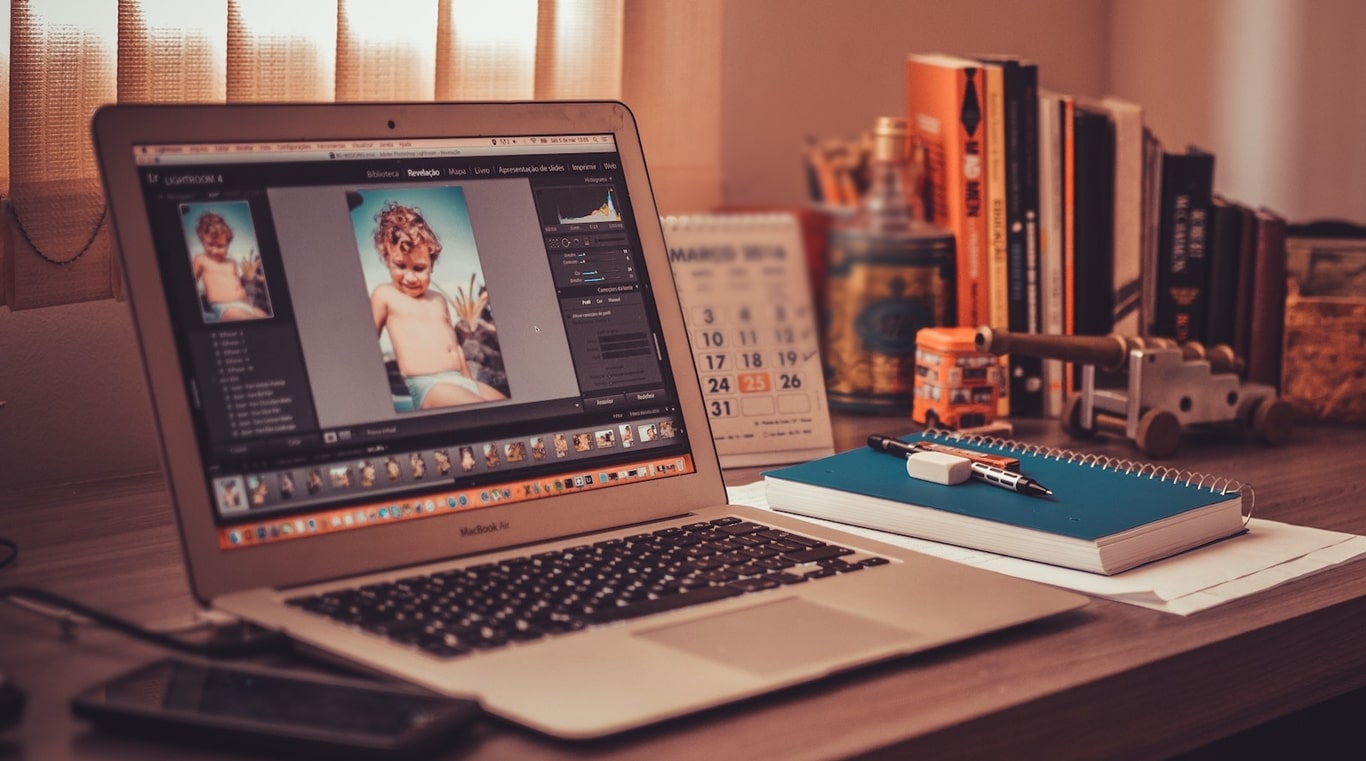
Adobe’s Photoshop is the world’s leading image editing software and the most widely-used program for digital art. Over the years since its introduction in 1988, it has led technological innovations in the creative industry with cutting-edge photo editing and professional design tools.
While Photoshop is powerful, innovative, and always updated with new features, it also has the reputation of being hard to learn. It may be high-end but it is likewise high-priced. Users especially first-timers (even medium-level users) may require extra effort in learning how to use it and extra money to continue using it as a subscription service.
Wouldn’t you want software with similar or near capabilities without the complexity and the premium price? Of course! As the year transitions to 2023, here are some low-cost Photoshop alternatives that you can consider.
What to Look for in a Photoshop Alternative
Here’s a short list of items to look for in a Photoshop alternative.
- Beginner-friendly – With its many studio-grade tools, Photoshop is geared toward professional photographers and designers. They are the kind of users who dabble in fine-grain adjustments, experiment with layers and masks, play with out-of-this-world effects, and create one-of-a-kind digital art.
How about the regular consumer who has no time to master the software or engage in steep learning? We’re eyeing something fun, intuitive, and engaging to use that gets the work done in the least amount of time. - Easy on the pocket – The software offers three subscription pricing – Photoshop Plan at $20.99/month, Photography Plan (with Lightroom) at $19.99/month, and the All Apps Plan at $54.99/month.
A pricing comparison with the alternatives we have here will show that Photoshop’s rates are in the upper range. For any of those plans you choose you’d be paying continually on a monthly basis to keep using the cloud-based program. - Similar capabilities – Our Photoshop alternatives may not have the exact equivalent features. But we’re looking for near or approximate capabilities that both beginners and veterans in image editing and design can appreciate and utilize.
Take note that we did not include completely free programs like GIMP, Paint.NET, or Photoscape. They deserve their own category. What we have here are paid options that have free plans and versions or, at the very least, free trials. That said, let’s begin.
1. Canva

Image credit: canva.com
Canva has risen fast since its launch in 2013, giving its competitors a run for their money. The online editing and design solution applies a consumer-oriented approach, making it an easy-to-use-tool by just about anyone with or without a design background. And being a web-based tool means you can access it anytime from anywhere with any connected device.
With professionally-made templates for every purpose and occasion and a drag-and-drop interface, you can effortlessly create social media graphics, posters, invitations, presentations, invitations, business cards, ads, brochures, flyers, etc.
Canva’s video, style, and image editing toolset come with basic and intermediate-level tools including a video trimmer, image enhancer, photo effects, text animations, and design and photo grids, among others. It’s a complete design, editing, and branding platform that makes it a go-to solution for marketers, businesses, and creative professionals.
Key Features
- 8,000 templates
- Add text to photos
- Add texture
- Badges
- Collaboration tools
- Design grids
- Drag-and-drop editor
- Free icons
- Image cropper
- Image transparency
- Multimedia platform
- Photo effects
- Speech bubble maker
- Stickers
- Web wireframe
Pricing
Canva offers a 30-day free trial as well as regular discounts. They have also introduced a new Canva Pro team pricing. Read all about it here.
- Canva Free – $0.00
- Canva Pro – $12.99/month for 1 person
- Canva for Teams – $14.99/month for the first 5 people
Pros
- Intuitive and easy-to-use platform
- Lots of customizable templates
- Easy social media graphics creator
- Built for collaboration
- Budget-friendly pricing
Cons
- Limited free plan
- Advanced features are locked behind premium plans
- Lacking sophisticated digital art tools
2. Affinity Photo

Image credit: affinity.serif.com
Affinity Photo is a fully-loaded photo editing program that works on Mac and Windows computers as well as on the iPad tablet. It is an on-premise application which means you download and install it on your device.
It’s the most similar software to Photoshop in terms of capabilities and features, making it a favorite among photography and creative professionals looking to transition from Photoshop or other photo editing solutions.
The software brings with it both basic and studio-grade tools including those for live editing, retouching, object removal, layer handling and resizing, multiple masks and adjustments, dodge and burn brushes, advanced filters, and many more.
It can help you create multi-layered compositions and digital art like raster paintings. You’ll have an enjoyable editing experience with a solid interface that gives you easy access to hundreds of time-saving tools.
Key Features
- 360-degree image editing
- Batch processing
- Blend modes
- Feature-rich and flexible
- Focus stacking
- HDR merge
- Lens corrections
- Lighting filters
- Live filters
- Multiple file type support
- Panorama stitching
- Professional image quality
- RAW editing
- Save settings as presets
- Similar Photoshop workflow
- Sketch, paint, and texture tools
- Straightforward pricing
- Supports PSD files editing
- Task-focused workspaces
- Thumbnail previews
- Unlimited history and snapshot
- Vector editing
Pricing
Affinity offers a single pricing and no subscription. That’s a one-time payment for a lifetime license. A 30-day free trial is available.
- iPad Edition – $21.99
- Mac Edition – $54.99
- Windows Edition – $54.99
Pros
- Built for pro photographers
- Multi-level image editing
- Works with vector and raster files
- RAW file support
- More affordable than Photoshop
Cons
- No free plan
- No ready-made design templates
- May require some learning curve
3. Procreate

Image credit: procreate.com
Procreate is a drawing and painting app designed for Apple devices, specifically for iPad tablets. It works on iPad models running OS 14.4 (or later) and a 1st or 2nd generation Apple Pencil. While it is built for the iPad with its large drawing space, there is also an app for the iPhone.
If you need a portable but powerful tool to create digital artworks – sketches, paintings, illustrations, and even animations – look no further than Procreate. It is an all-in-one art studio that you can carry anywhere and is brimming with creative tools and distinctive features.
A two-time winner of the Apple Design Award, Procreate gives you numerous hand-crafted brushes – inks, pencils, charcoals, and various artistic brushes – that can create highlights, textures, and other painting elements in a variety of art styles. The app can even help you come up with custom brushes as well as provide you with complete color control.
Key Features
- 200 brushes
- Auto-repeat Texture
- Brush Cursor
- Color adjustment tools
- Color Companion
- Color Descriptions
- Color Drop
- Color Dynamics
- Color Harmony
- Color History
- Color Panel
- Customizable brushes
- Dual Brush
- Gallery previews
- Gradient Map
- Multi-touch gestures
- Paint, Smudge & Erase
- PDF import
- Personalized color palette
Pricing
Procreate can be yours for just a one-time price. There are no subscriptions, premium upgrades, or even setting up of an account.
- Procreate for iPad – $9.99
- Procreate Pocket (for iPhone)- $4.99
Pros
- Bristling with features
- Beginner-friendly
- Inexpensive and no subscription
- Carries some Photoshop features (ex. layers, masks, effects)
- End results are printable and shareable
Cons
- No version for Windows or Android
- Storage is internal and limited to the device
- Can’t create hi-res, large-sized prints
4. inPixio Photo Studio

Image credit: inpixio.com
InPixio Photo Studio is an on-premise editing program dubbed as the “one-click photo editor” because it performs its processes automatically. Using manual tools, you can do the editing yourself if you want to fine-tune or put final touches to your images. Or you can do otherwise and let the software do the heavy lifting.
In full automatic mode, it takes a click to do image corrections, remove objects, and change backgrounds, all in a jiffy. What previously takes hours to remove objects and fill up the space with the same background will now be done instantly using AI-assisted tools.
The same smart tools perform precise background removal. It can replace backgrounds from a selection of images or you can upload your own. The app also allows you to do quick background blur, make transparent background as well as create photomontages.
Key Features
- Automatic image correction
- Background removal/replacement/blur
- Clone stamp
- Correction path
- Creative effects
- Noise/sharpness correction tools
- Object remover
- Photo editor/enhancer
- Photo maximizer
- Photomontage
Pricing
A free version and a free trial are available. There are separate pricing (and currency) for the Windows and Mac version. The prices quoted herein are for a 1 year use of the software.
- Windows
- Free Photo Editor – $0.00
- Photo STUDIO – $49.99
- Photo STUDIO PRO – $59.99
- Photo STUDIO ULTIMATE – $99.99
- Mac
- Photo STUDIO MAC – € 49.99
- Photo STUDIO MAC PRO – € 59.99
Pros
- Great for beginners
- AI-powered tools
- Manual editor or fully automated
- Simple, intuitive, accurate, and powerful
- Competitive pricing
Cons
- More advanced tools are in the Ultimate plan
- Doesn’t really have that many features
5. Photo Pos Pro
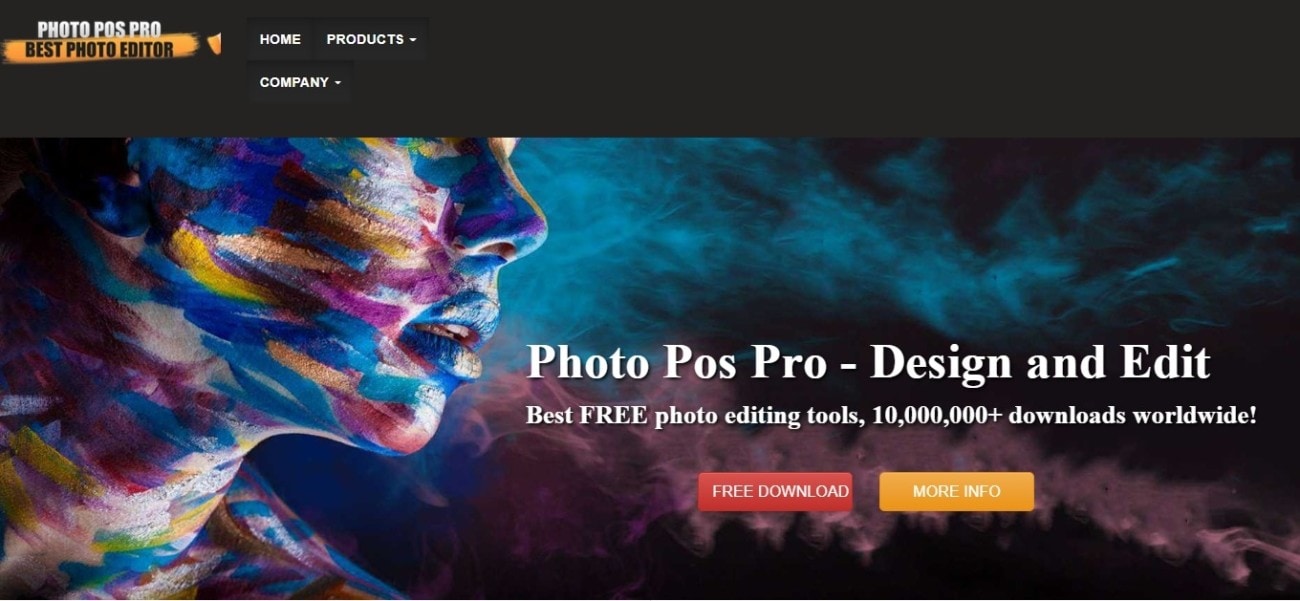
Image credit: photopos.com
Photo Pos Pro boasts of over 10 million downloads, making it one of the most popular on-premise photo editors even if it only works on Windows computers. Its latest iteration, Version 5, offers several image editing and enhancing tools. You can do basic photo corrections and adjustments or perform complex tasks using advanced editing features.
Its array of tools and functions includes RAW file support, digital cameras and scanners support, graphics design creation, special effects, batch operations, and many more. There are also tools for painting and drawing, text effects, object and background removal, smart selection, and quick greeting card creation.
Despite having professional-grade capabilities, Photo Pos Pro offers a user-friendly interface and intuitive controls. Likewise, it has step-by-step guides to help beginners immediately navigate the program.
Key Features
- Brushes
- Curves
- Filters
- Frames and Collages
- Greeting Cards
- Image correction
- Layers
- Masks
- Photo Effects
- RAW files support
- Remove unwanted objects
- Remove/replace/erase/backgrounds
- Scripts
- Text Effects
Pricing
Photo Pos Pro has one simple pricing that gives you a lifetime license to use the software. The rate below is on a special discounted price.
- Photo Pos Pro Premium Edition – $34.90
- Photo Pos Snap – Free online editor you can access here.
Pros
- Value for money
- Customizable interface
- Supports a variety of file formats
- Lots of helpful tutorials and guides
- Create new projects from scratch
Cons
- Windows only software (needs a Windows Emulator to make it work on a Mac computer)
- Tends to lag with complex work and manipulation
6. PhotoWorks

Image credit: photo-works.net
PhotoWorks is a Windows-only image editing program made by AMS Software, a company founded in 2003 by IT professionals. The pooled experience of its founders led them to develop the software around cutting-edge technology including neural networks and artificial intelligence.
As such, PhotoWorks is equipped with smart one-click tools for image correction and editing. There are automated controls as well as slider tools if you want manual fine adjustments. AI is leveraged to perform quick automated enhancements like retouching portraits, improving old photos, and removing or replacing backgrounds.
Where PhotoWorks truly shines is transforming regular photos into professional-looking images as if they were taken by skilled photographers. You can apply auto adjustment but still do further image treatment if you want to. PhotoWorks runs on computers with Windows 7 up to Windows 11 OS.
Key Features
- 200+ one click filters
- Auto Correction
- Content-aware AI
- Correct distortions and perspectives
- Layers, stickers, watermarks
- Manual slider controls
- Photomontage
- Portrait Magic (retoucher)
- Presets or manual old photo restorer
- Remove unwanted objects
- Replace background
- Stylish effects
- Supports several image formats
- Transparent background
Pricing
PhotoWorks offers a free trial and regular big discounts. Its prices are one-time payment, lifetime licenses that include free technical support and 1 year free updates for future versions. Prices below are special offers until the end of 2022.
- PhotoWorks STANDARD – $8.25 (from $27.50)
- PhotoWorks DELUXE – $12.60 (from $42)
- PhotoWorks PRO – $16.80 (from $56)
Pros
- Value for money
- Beginner-friendly
- AI-powered software
- Powerful and robust
- Smooth slider controls
Cons
- Tends to over saturate colors with Auto Correction
- Healing and cloning results leave a bit to be desired
7. Fotor
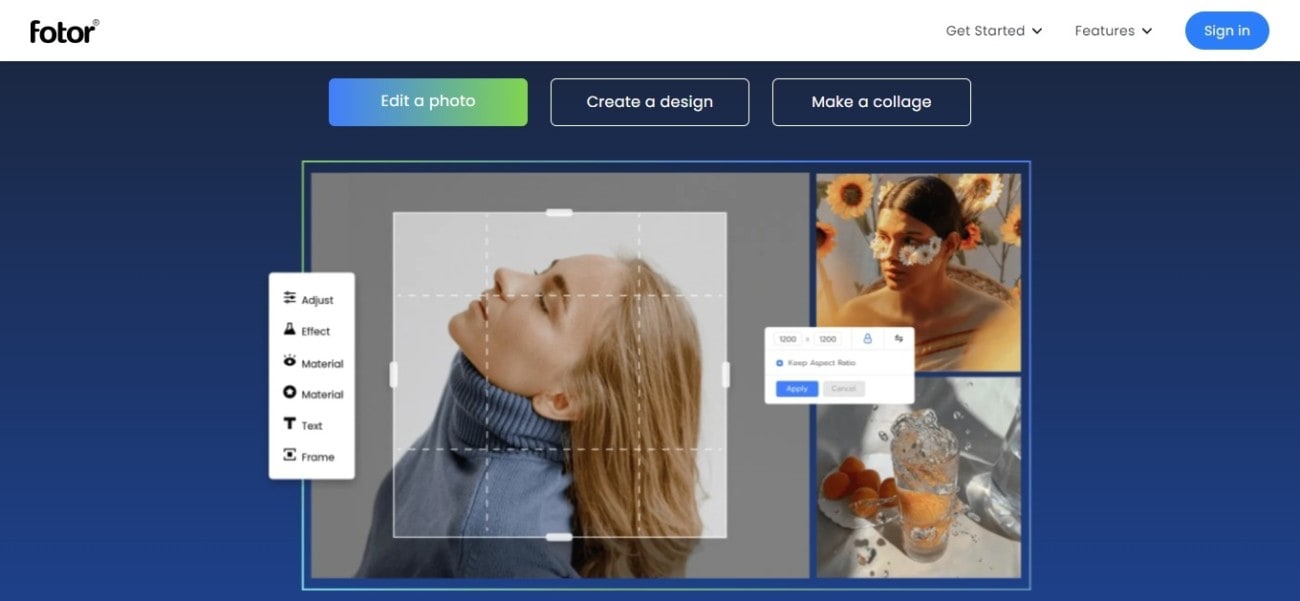
Image credit: fotor.com
Fotor is an online photo editing and graphic design platform that is compatible with both Windows and Mac systems. It also has mobile versions for Android and iOS devices. Its selling point is its ease of use. No technical editing and design skills are needed to use the software to come up with professional-looking images and designs.
The software comes packed with AI enhancement algorithms, giving you smart tools for instant photo quality enhancement. But you also have the option to do manual pro-level image adjustments with slider controls. More advanced tools include intelligent background and object remover as well as photo effects.
In the design area, you can easily make photo collages, social media graphics, banners, ads, invitations, business cards, and a host of other design types for your business, marketing, and branding requirements.
Key Features
- AI photo to painting converter
- Auto resize
- Background/object remover
- Basic and advanced editing tools
- Cloud storage
- File management
- HDR tech
- Multiple image file format
- Photo collage layouts
- Photo effects/filters
- Photo retoucher
- Templates and design resources
Pricing
- Fotor Basic – Free
- Fotor Pro – $8.99/month ($39.99 billed annually from $51.99)
- Fotor Pro+ – $19.99/month ($89.99 billed annually from $107.99)
Pros
- Beginner-friendly
- AI-powered platform
- Cloud-based file storage
- Huge collection of stock images and design elements
- More than adequate free version
Cons
- More advanced features are locked in the Pro+ plan
- Needs internet connection to access
Creativity Doesn’t Have to be Costly
As you’ve seen from the above Photoshop alternatives, unleashing your creative ideas on an image editing and design platform need not be costly. When Adobe introduced its Creative Cloud framework in 2013 and put Photoshop on a SaaS subscription model, there was uproar from its users.
Who would want a recurring payment for a program whether it is used or not? Obviously, many still prefer the software that they have been used to. However, others went looking for viable alternatives, and several programs like those above stepped up to the plate.
Whatever is your photo editing and design requirement, there is sure to be a matching and more affordable tool for you out there. Make no mistake, we love Photoshop. If only it were reasonably priced and conducive to a diverse range of users and not just seasoned photographers and creative professionals.