In the digital world, data is king. But is Google Analytics the only royal in town? Think again. While it’s the go-to for many, the realm of website analytics is richer and more diverse than you might believe.
If you’ve ever felt boxed in by Google Analytics or just curious about what else is out there, this guide’s for you. We’ve scoured the vast landscape of tools to bring you the top 10 free alternatives that hold their ground against the giant.
Diverse features, unique insights, and perhaps a new perspective on your site’s performance await. Let’s dive straight in and uncover these hidden gems.
Top Free Alternatives to Google Analytics: Top Picks
Given below is an overview of some of the best free alternatives you can find. Evaluate the features of each pick, and only go forward with the option that works the best for you!
Matomo
Matomo stands out as a premier open-source analytics platform, allowing users full data ownership, a feature that’s becoming increasingly sought after in an age where data privacy is paramount. With Matomo, businesses can host their analytics on their own servers, ensuring data sovereignty and compliance with privacy laws.

Specs:
- Full Data Ownership: Store data on your servers, ensuring no third parties have access.
- GDPR Compliant: With data privacy at its core, Matomo ensures businesses meet European data protection regulations.
- Customizable Dashboard: Tailor your dashboard to highlight the metrics most relevant to your operations.
- Segmentation: Dive deep into your audience segments to understand varying user behaviors.
Open Web Analytics
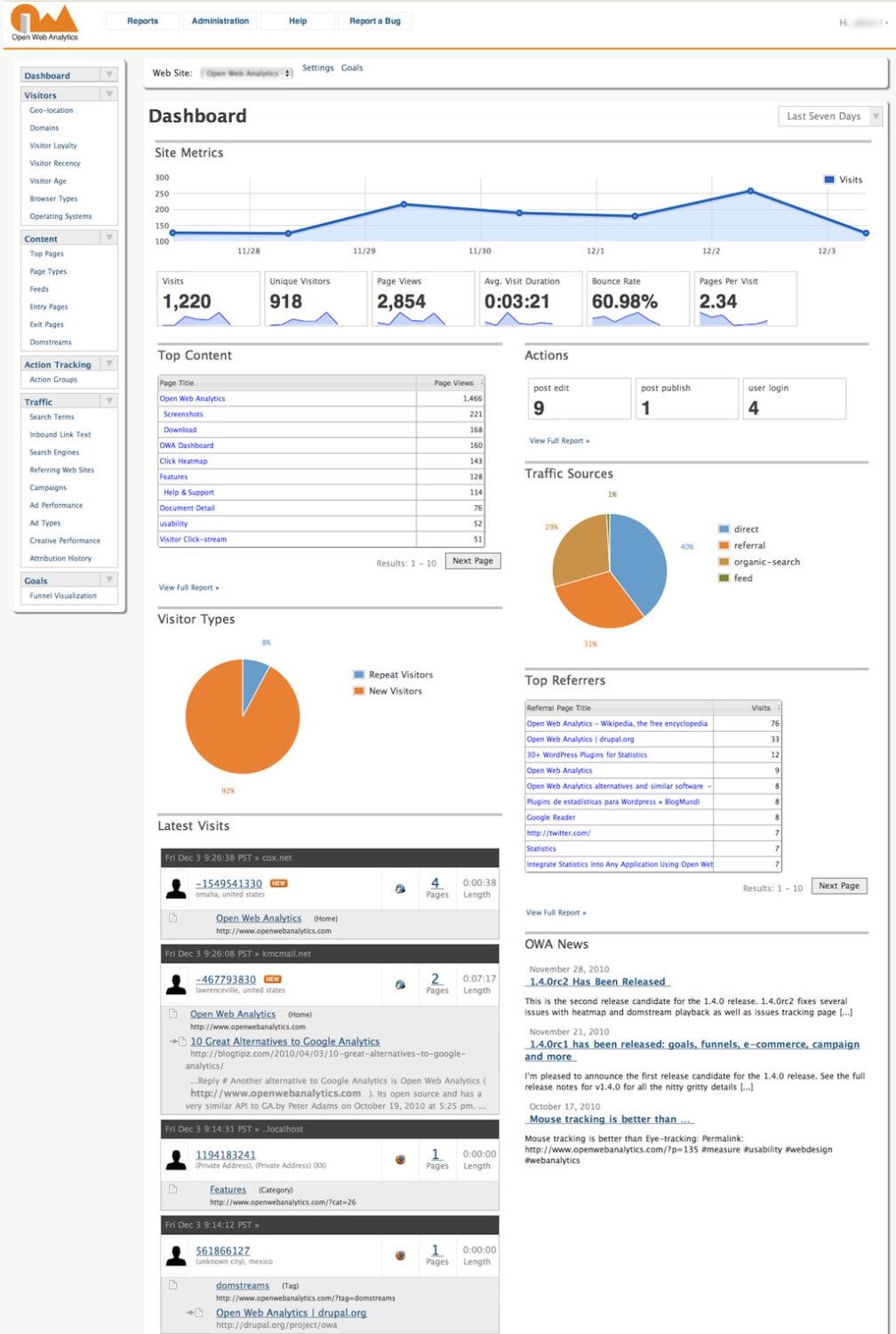
OWA is a self-hosted web analytics tool that offers detailed insights into website visitors. It’s specifically tailored for those who desire a deeper understanding of their audience without the complexity of larger platforms.
Specs:
- Embeddable Tracking Code: Easily integrate OWA into any site with its simple tracking code.
- Detailed Visitor Profiles: Gain insights into individual visitor behaviors and preferences.
- Built-in E-commerce Tracking: Monitor your online store’s performance without additional integrations.
- Heatmaps: Visualize where users most frequently interact on your site, optimizing design and UX.
Overtracking
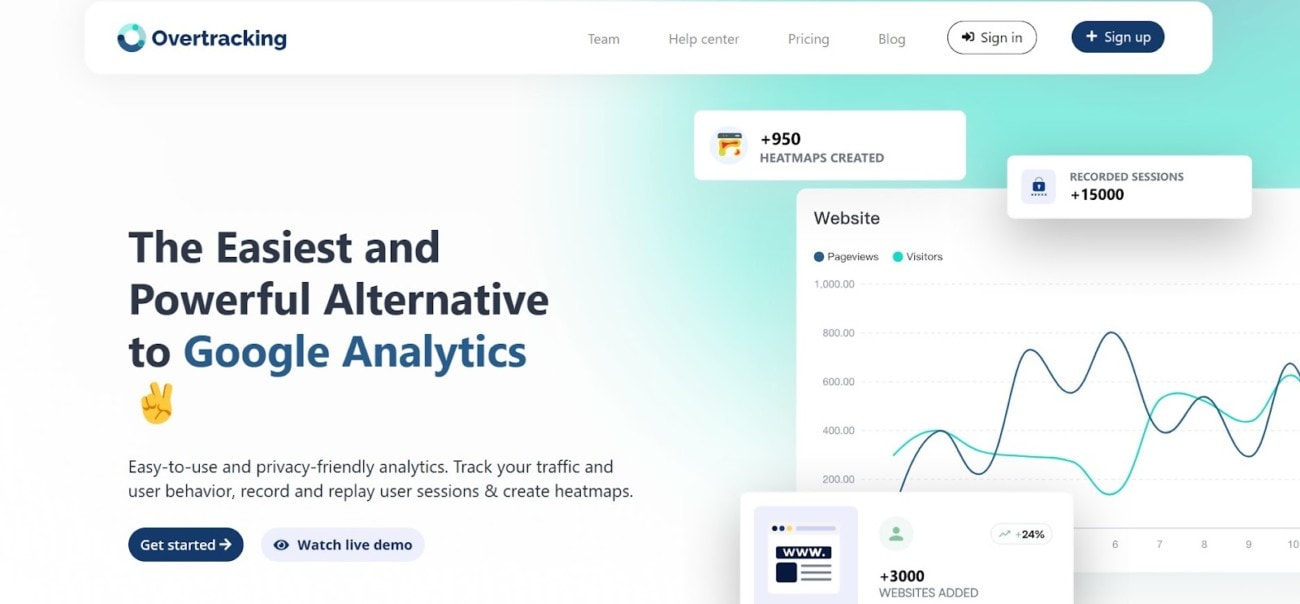
In the quest for more advanced analytics without the noise of redundant data, Overtracking presents itself as a sleek, modern solution. Designed for those who crave clarity, it simplifies data without compromising on depth.
Specs:
- In-depth Traffic Insights: Understand not just where traffic comes from, but how it interacts and converts.
- Visual Data Representation: Make sense of complex data with intuitive charts and graphs.
- Simple Integration: Get up and running quickly with minimal setup requirements.
- Real-time Reporting: Stay updated with live data, ensuring you’re always acting on the most recent insights.
StatCounter
StatCounter, with its inception in the early 2000s, has grown to be a reliable web tracking tool. Popular among bloggers, small business owners, and webmasters alike, it offers a straightforward way to monitor web traffic and user behavior, differentiating itself with a focus on simplicity and real-time data.

Specs:
- Real-time Data: Instantly see who is currently visiting your site, what pages they’re viewing, and their location.
- Lengthy Data Retention: Unlike some platforms that limit historical data access, StatCounter retains your data for a longer duration.
- Visitor Paths: Understand the journey users take on your site, from entry to exit.
- Traffic Source Insights: Identify which search engines, social networks, or referring sites are sending the most traffic.
Clicky
Clicky prides itself on providing real-time web analytics with a user-friendly interface. A preferred choice for those looking for actionable insights without the clutter, it’s well-suited for small to medium-sized businesses.

Specs:
- Heatmaps: Get a visual representation of where users click, focus, and interact on your site.
- Uptime Monitoring: Receive alerts if your site goes down, ensuring continuous service.
- Individual Visitor Tracking: Delve into each visitor’s behavior, actions, and history.
- On-site Analytics: A widget that allows you to see how many people are on your site in real-time, and what they’re doing.
Mixpanel
Mixpanel has carved a niche for itself by moving away from traditional pageview analytics and emphasizing event-based analytics. By focusing on the actions users take, it offers a deeper understanding of user engagement and behavior.

Specs:
- Event-based Tracking: Instead of just page views, understand specific actions users take on your site.
- Funnel Analysis: Visualize the steps users take towards conversion and identify potential drop-off points.
- Retention Analysis: Measure how often users come back after their initial visit.
- User Profiles: Aggregate data on individual users, giving a comprehensive view of their interactions over time.
What to Look for in an Analytical Tool: Quick Guide
Choosing the right analytics tool hinges on understanding its core features and their alignment with your objectives.
- Real-time Data: An essential feature, real-time data ensures you’re not analyzing outdated information. It allows for swift decision-making by reflecting current user behaviors and website interactions.
- User-friendliness: A tool’s usability impacts its efficiency. Opt for platforms with intuitive interfaces, clear navigation, and minimal learning curves. This accelerates the data extraction process and reduces dependency on specialized personnel.
- Depth of Insights: While surface-level metrics are useful, in-depth insights offer a granular view of user behavior. Ensure the tool provides comprehensive data, from bounce rates to specific user journey touchpoints, granting a holistic understanding of user interactions.
- Integration Capabilities: In today’s interconnected digital ecosystem, an analytics tool’s value multiplies when seamlessly integrated with other platforms—be it CRM systems, advertising networks, or e-commerce platforms. Integration streamlines data collection, offering a consolidated view of metrics across various platforms.
Conclusion
And there we have it – a tantalizing buffet of free analytics tools, ready for you to feast on. Remember the time you believed vanilla was the only ice-cream flavor, only to discover there’s chocolate, strawberry, and oh, mint-choco-chip?
Google Analytics is undeniably the vanilla of the analytics world – classic and dependable. But there’s a universe of flavors out there waiting to surprise your palate. Dive in, experiment, and find that perfect flavor, er, tool, that satisfies your website’s unique cravings.
Before you venture off to explore these digital realms, just remember: in the vast cosmos of data, it’s not about which tool is universally the best, but which one is the best for you. So, pick your toolkit, chart your course, and may your website insights always be in your favor!