Livestorm Review: Is It the Best Webinar Marketing Software?

Livestorm is a cloud-based webinar software designed to make online video presentations and event hosting easier and more manageable. More than just a video conferencing app, it comes with tools to help you organize virtual events, invite speakers and presenters, engage participants, and analyze event performance.
Its host of features makes it ideal for various practical and commercial applications. It can be used for job interviews, company communication, online training, product demos, webinars, and live events streaming from any browser or device. With such versatility, is Livestorm the best video engagement software? Read on to find out.
Check if you can get any special discount with our Livestorm coupon code article.
What is Livestorm?
Livestorm is relatively new, having been founded and launched in France in 2016. In that short time, however, it has bagged both startups and large corporations as customers, including Fortune 500 companies and top name brands like Honda, Sony, and Shopify.
Among the many things going for Livestorm is its ability to provide users with a range of management controls, giving it an edge over other similar apps. It is billed as an “end-to-end” platform, from organizing web video events to analyzing said events and taking care of everything in between.
The software is designed to provide an engaging user experience in real time. Whatever the activities – discussions, surveys, questions and answers, presentations, live hosting, and more – Livestorm ensures that events are as absorbing and productive for everybody whether they are one-on-one conversations or gatherings involving thousands.
Up to 20% off on all yearly plans
Special offer available on all yearly plans! Click here to get this special offer 👇
Check Livestorm PricingKey Features
- 2 to 3K Attendees
- Custom Registration
- Event Automation
- Files Sharing
- Multi-language Support
- Unlimited Replays
Pricing
- Free – Up to 20 minutes/session and 10 live attendees
- Pro – 79 Euro/month, up to 4 hours/session and 100 attendees
- Business – Custom pricing, up to 4 hours/session and 3K attendees
- Enterprise – Custom pricing, up to 12 hours/session and 3K attendees
Highlights
Real-world application
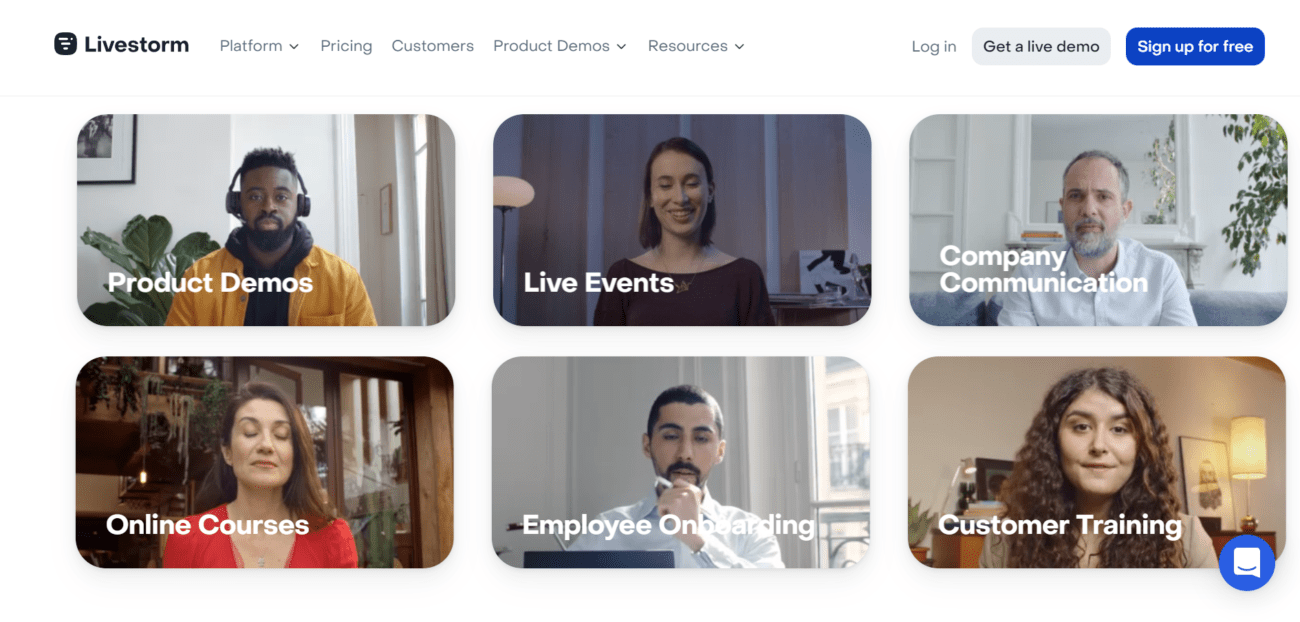
Livestorm fits into many applicable situations that most businesses are involved in. These include employee hiring, interviewing, and onboarding; product demos and presentations; customer orientation and training; virtual classrooms and online courses; podcast sessions; live events and live Q&As; and company/office communication.
Browser-based
This is logistics-free software, meaning you don’t have to install or set up anything to broadcast or join a live event. All you need is a connected device and any browser to access and use the app anytime from anywhere. You are not limited by boundaries, time, and location. Furthermore, attendees do not need a Livestorm account to join web meetings. All they need is an invite link or event widget and a web-enabled device.
Extensive integration
Livestorm can connect and work with more than 1,000 third-party apps through Zapier or via the software’s native integration. With extensive integration as well as plugins, the software becomes an extensible platform that can accommodate and automate functions for collaboration, CRM, HR, marketing automation, and even payment gateways, among others.
Real-time engagement
Engage, react, and be involved with your audience as the event or activity happens. The most effective way to connect and captivate audiences is through actual engagements. Livestorm enables these by giving participants the means to join polls, do preferential voting, ask and answer questions, and undertake meaningful discussions. Also, an attendee can be invited onstage and speak impromptu by the host.
All the details that matter
These aren’t small details but essential additions that make Livestorm a powerhouse app that is convenient and easy to use from the get-go. Let’s itemize some of them.
- Event automation. Place on auto-pilot your session from start to finish or automatically play a video to simulate a live experience.
- On-demand or recurring events. Set up events that people can watch or join at any time or seamlessly create events with multiple sessions using a single link.
- Unlimited replays. At no added cost, automatically record all your events with unlimited cloud storage, and view them again as much as you want.
- Multiple languages. Livestorm’s assets such as emails, rooms, registration pages, etc. are available in 24 languages.
- Dial in by phone. Can’t participate in an event because of Internet issues, then simply dial into an event directly from your phone.
- Team-wide accounts. Add any number of team members to your workspace to facilitate group work and hasten collaboration.
- Calendar view. Get a bird’s eye view of your sessions to make accessing, planning, and editing events more efficient.
World-class support
Client support has been leveled-up by Livestorm through the provision of standard and VIP support including Service Level Agreements. Depending on the pricing plan, you can have a dedicated customer service manager, technical support consultant, personalized training, and executive business reviews of your performance and accounts. These are on top of regularly provided support to all customers such as email, chats, phone calls, video tutorials, and other resources.
Low Points
Too many app integrations
Users appreciate extended functionalities but often that leads to managing a lot of things (mainly third-party apps, of course). For example, you’re limited to sending 2,000 email invites from your Livestorm dashboard. Beyond that you have to use your own dedicated email app and follow an intricate process. Such functionality could have been made a built-in feature in Livestorm.
Needs stable Internet connectivity
Since the app is web-based, you need a high-speed and stable Internet connection to have sessions that won’t hang or crash, which isn’t a good experience for both host and attendees. This isn’t a problem per se of the app which doesn’t need any downloads. Besides, video streaming does need considerably more computer resources and bandwidth. But perhaps, Livestorm can do something on their end to mitigate this issue.
Top Alternatives
Livestorm is among the crème of the crop, so to speak, of apps in its class. But then, that elite grouping of web video software is filled with equally capable tools that you may be using or have used before. Worth considering in your list of Livestorm alternatives are the following:
- Zoom – Cloud platform for video and audio conferencing with a free version and paid options starting at $149.90/year/user.
- Goto Meeting – An online meeting app for real-time virtual communication with a free trial and paid plans starting at $12/month/organizer.
- Zoho Meeting – Online meeting and video conferencing solution with a full free plan and paid subscriptions starting at $3/month/host.
- Skype – Free VoIP software for video conferencing, internet telephony, chat, and messaging with call rates that apply for certain services.
- LiveWebinar – Advanced collaborative online platform for webinars with a free plan and pro packages starting at $17.99/month.
The Verdict
It is easy to like Livestorm because foremost it has a more than adequate free version ideal for a small team and audience. And that free plan will remain a completely zero cost option, according to the vendor. But it’s easy to upgrade and add active contacts if you need additional “seats” for your growing number of attendees. The lineup of features in its toolset doesn’t seem bloated or included for no reason. They provide helpful capabilities and essential functions while giving you ample control over how they operate.
So, is Livestorm the best video engagement app? It’s not quite there yet, but it sure is a promising candidate. It is nimble enough for simple video communication and robust enough for massive events. If you want such versatility and proficiency in a web video app for your small business or even enterprise requirements, then Livestorm is a solid choice. Take the software for a spin and try out its no-cost version. Simply sign up here for free.
Check Livestorm Pricing